デモ
デモを読み込めませんでした。
仕様
- 用途
- グラフ
- 動作
- DOM
- 種類
- レシピ
- 動作確認
- three 0.186.0・gsap 3.15.0
- 公開日
しくみと調整
ドーナツ型の円グラフの扇にポインタを重ねると、その扇が角度の真ん中の向きへ外に浮き出し、ほかの扇は淡くなります。中央の金額と構成比は、いま出ている値から新しい項目の値へ数えて替わり、項目名は上へ抜けてから次の名前が下から入ります。右の凡例の行に重ねても同じ扇が浮くので、グラフと表のどちらから見ても対応がわかります。
浮き出す量は外周の半径の 9% ほどで、back.out の 0.55 秒で少し行き過ぎてから止まります。戻るときは行き過ぎない power3.out の 0.35 秒にします。戻りにも行き過ぎる ease を使うと、離したときに一度内側へ沈んでから止まり、落ち着きません。ほかの扇は 0.3 秒で濃さ 25% まで淡くし、金額は 0.6 秒で数えます。項目名は前の名前が消えきってから次を出し、2 つを重ねません。
当たり判定は、浮いた扇の形ではなく、動かない輪の角度と半径で取ります。浮いた扇で判定すると、内側の縁にポインタがあるとき、扇が外へ動いたとたんに外れて戻り、また重なって浮く、を繰り返して震えます。判定の外周も浮く量のぶん広げ、浮いた扇の外の縁でも外れないようにします。扇から扇へ素早く移るので、どのトゥイーンも overwrite を auto にして、前の行き先へ向かう動きを止めます。
値は表としてページに書き、スクリプトはその表を読んで扇を描きます。表をそのまま凡例として見せるので、値は読み上げにも届きます。グラフの枠は焦点を受け、左右の矢印キーで項目を移り、Esc で合計に戻ります。数えている途中の数字は読み上げず、選んだ項目の値だけを見えない role の status に書きます。動きを減らす設定では、浮き出しも数えもせず、その場で切り替えます。
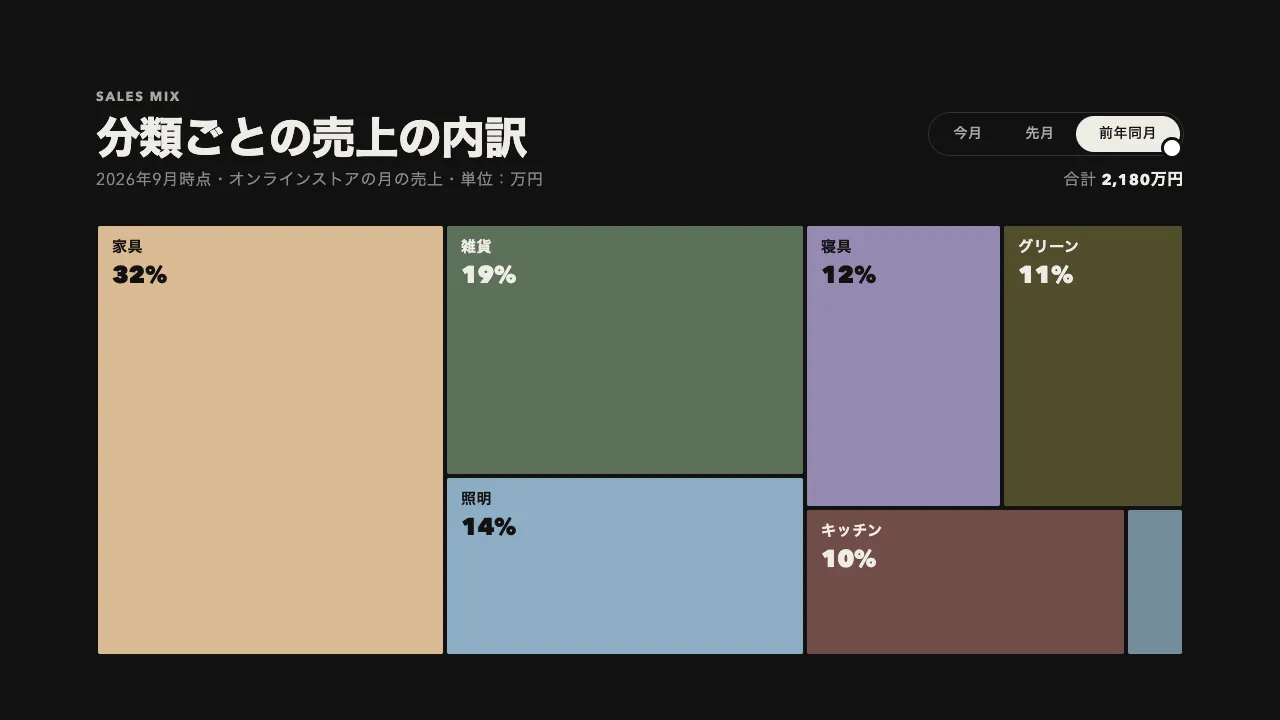
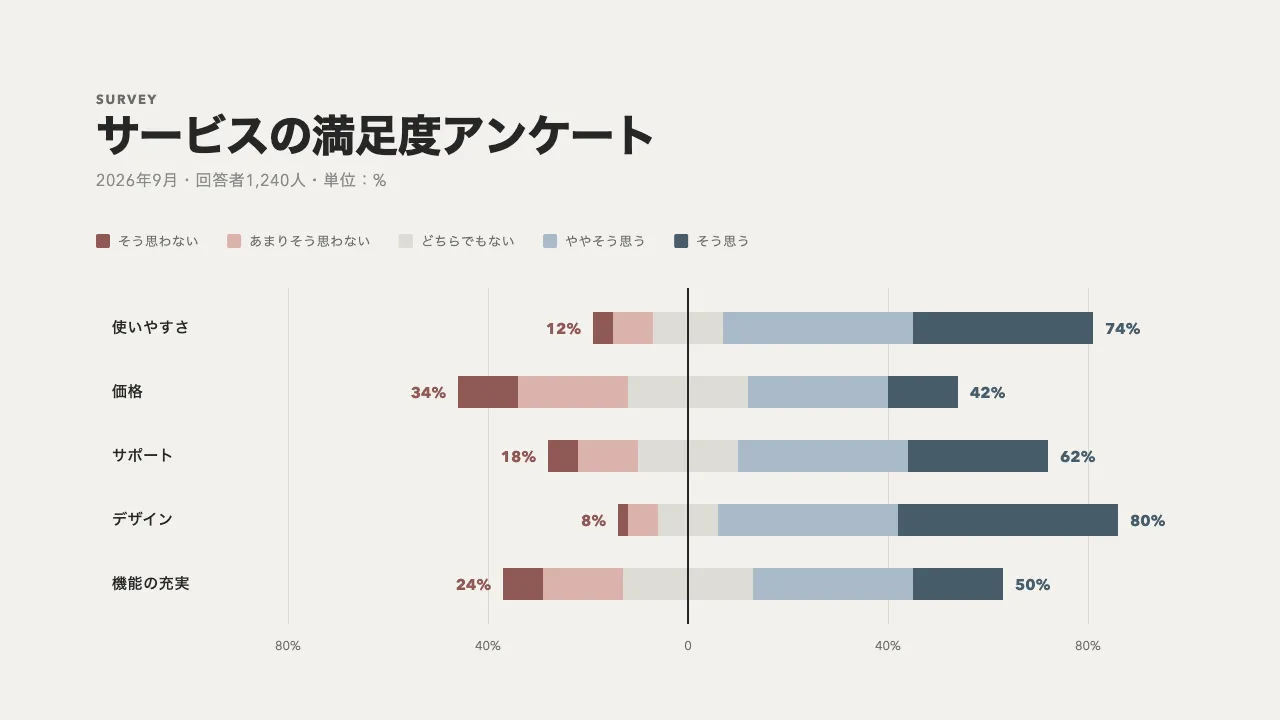
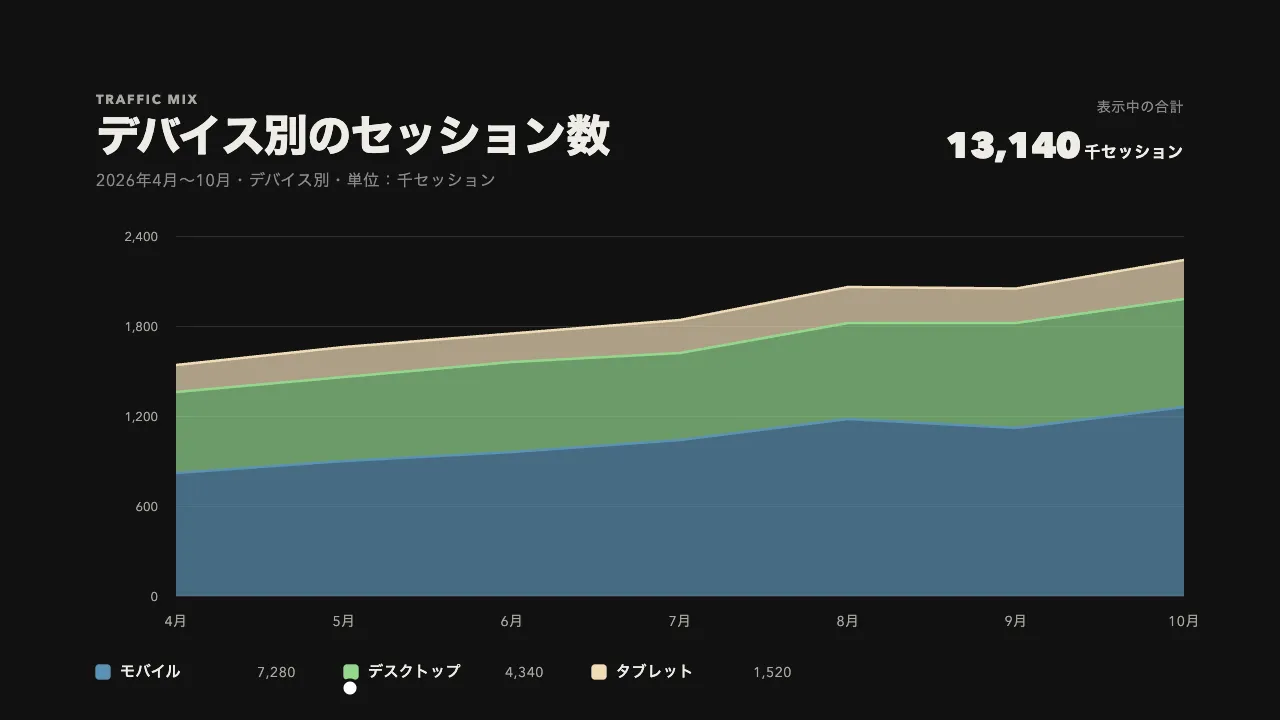
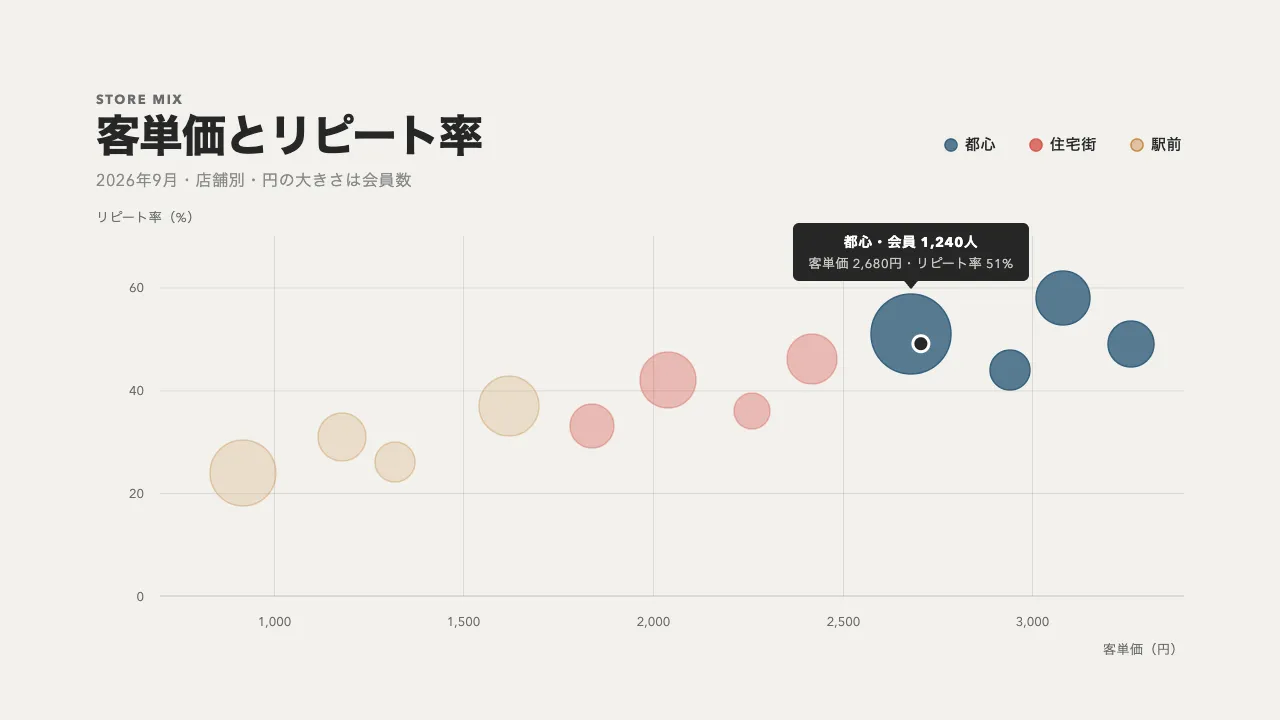
つまみは、浮き出す量・淡くする濃さ・行き過ぎの強さ(back.out の数値)です。浮き出す量を大きくすると目立ちますが、外周の外に余白が要ります。区分は 5〜6 つまでにし、残りは「その他」にまとめます。区分が順に埋まっていく入り方ではなく、描き終えた内訳を 1 つずつ読ませる動きで、売上の内訳やアクセスの流入元、アンケートの回答の比率を見せるダッシュボードやレポートに向いています。
コード
<figure class="pie">
  <figcaption class="pie__caption">
    <span class="pie__eyebrow">Sales</span>
    <span class="pie__title">売上の内訳</span>
    <span class="pie__note"><span>2026年4月〜9月・</span><span>カテゴリ別・単位:万円</span></span>
  </figcaption>

  <!-- グラフの枠。JS が下の表から扇を描いて見せる。左右の矢印キーでも項目を移れる -->
  <div class="pie__chart" tabindex="0" role="group" aria-label="カテゴリ別の売上の円グラフ。左右の矢印キーで項目を移れます" hidden>
    <svg class="pie__svg" viewBox="0 0 240 240" aria-hidden="true"></svg>
    <!-- 数えている途中の値は読み上げない。選んだ項目の値は、下の status に書く -->
    <p class="pie__center" aria-hidden="true">
      <span class="pie__label">今期の売上</span>
      <span class="pie__value"><b>4,860</b>万円</span>
      <span class="pie__share">構成比 100%</span>
    </p>
    <p class="pie__status" role="status"></p>
  </div>

  <!-- 値はこの表が正。扇の角度はここから、色は行ごとの --color(CSS)から読む -->
  <table class="pie__table">
    <thead>
      <tr><th scope="col">カテゴリ</th><th scope="col">売上(万円)</th><th scope="col">構成比</th></tr>
    </thead>
    <tbody>
      <tr><th scope="row">衣料</th><td>1,555</td><td>32%</td></tr>
      <tr><th scope="row">生活雑貨</th><td>1,166</td><td>24%</td></tr>
      <tr><th scope="row">食品</th><td>875</td><td>18%</td></tr>
      <tr><th scope="row">コスメ</th><td>729</td><td>15%</td></tr>
      <tr><th scope="row">家具</th><td>535</td><td>11%</td></tr>
    </tbody>
  </table>
</figure>.pie {
--bg: #111111;
--surface: #262626; /* 選んだ行の地 */
--ink: #eeece6;
--mute: #898989;
--mute-small: #a8a6a0; /* 16px 未満の文字 */
--line: rgb(238 236 230 / 0.14);
--size: 360px; /* 輪の直径 */
display: grid;
grid-template-columns: minmax(0, var(--size)) minmax(0, 464px);
grid-template-areas: "chart caption" "chart table";
justify-content: center;
align-items: center;
gap: 32px clamp(48px, 8vw, 96px);
margin: 0;
padding: 64px clamp(16px, 5vw, 96px);
background: var(--bg);
color: var(--ink);
font-variant-numeric: tabular-nums;
}
/* 狭い画面では、見出し → 輪 → 表の順に 1 列に並べる */
@media (max-width: 800px) {
.pie { grid-template-columns: minmax(0, var(--size)); grid-template-areas: "caption" "chart" "table"; }
}
.pie__caption { grid-area: caption; align-self: end; display: grid; gap: 12px; }
.pie__eyebrow { color: var(--mute-small); font-size: 13px; font-weight: 700; letter-spacing: 0.14em; text-transform: uppercase; }
.pie__title { font-size: clamp(32px, 5vw, 44px); font-weight: 800; line-height: 1.1; letter-spacing: -0.02em; }
.pie__note { color: var(--mute); font-size: 16px; letter-spacing: 0.04em; }
.pie__note span { display: inline-block; } /* 狭い画面でも、語の途中で折り返さない */
.pie__chart { grid-area: chart; position: relative; border-radius: 50%; }
.pie__chart:focus-visible { outline: 2px solid var(--ink); outline-offset: 4px; }
.pie__svg { display: block; width: 100%; height: auto; }
/* 中央の文字。下の扇へポインタを通す */
.pie__center {
position: absolute;
inset: 0;
display: grid;
place-content: center;
justify-items: center;
gap: 8px;
margin: 0;
pointer-events: none;
text-align: center;
}
.pie__label { color: var(--mute); font-size: 16px; font-weight: 600; letter-spacing: 0.04em; }
.pie__value { font-size: 18px; font-weight: 700; letter-spacing: 0.04em; }
.pie__value b { margin-right: 4px; font-size: clamp(32px, 10vw, 44px); font-weight: 800; line-height: 1; letter-spacing: -0.02em; }
.pie__share { color: var(--mute-small); font-size: 14px; letter-spacing: 0.04em; }
/* 読み上げだけに届ける */
.pie__status { position: absolute; width: 1px; height: 1px; margin: 0; overflow: hidden; clip-path: inset(50%); white-space: nowrap; }
/* 区切り線はセルに持たせる(collapse にすると、行を淡くしても線だけ残る) */
.pie__table { grid-area: table; align-self: start; width: 100%; border-spacing: 0; }
.pie__table th,
.pie__table td { padding: 18px 16px; border-top: 1px solid var(--line); text-align: right; white-space: nowrap; }
.pie__table th:first-child { text-align: left; }
.pie__table thead th { padding-block: 0 12px; border: 0; color: var(--mute-small); font-size: 12px; font-weight: 600; letter-spacing: 0.06em; }
.pie__table tbody th { font-size: 16px; font-weight: 600; letter-spacing: 0.04em; }
.pie__table td { color: var(--mute-small); font-size: 14px; }
.pie__table td:last-child { color: var(--ink); font-size: 20px; font-weight: 800; letter-spacing: -0.02em; }
/* 扇と行の色(中身の色の Night の列の彩度を 1.25 倍にした値。大きい項目ほど明るい段) */
.pie__table tbody tr:nth-child(1) { --color: #d9ba92; }
.pie__table tbody tr:nth-child(2) { --color: #93b2c9; }
.pie__table tbody tr:nth-child(3) { --color: #958ab2; }
.pie__table tbody tr:nth-child(4) { --color: #748c9b; }
.pie__table tbody tr:nth-child(5) { --color: #5e725c; }
/* 行の色の四角は、行の --color から */
.pie__table tbody th::before {
content: "";
display: inline-block;
width: 14px;
height: 14px;
margin-right: 14px;
border-radius: 3px;
background: var(--color);
vertical-align: -1px;
}
/* 選んだ行は地を出し、ほかの行は淡くする */
.pie__table tbody tr,
.pie__table tbody tr > * { transition: opacity 0.3s, background-color 0.3s; }
.pie.is-picking tbody tr:not(.is-active) { opacity: 0.4; }
.pie__table tr.is-active > * { background: var(--surface); }
.pie__table tr.is-active > :first-child { border-radius: 4px 0 0 4px; }
.pie__table tr.is-active > :last-child { border-radius: 0 4px 4px 0; }
@media (prefers-reduced-motion: reduce) {
.pie__table tbody tr,
.pie__table tbody tr > * { transition: none; }
}import { gsap } from "gsap";
const reduceMotion = window.matchMedia("(prefers-reduced-motion: reduce)").matches;
const time = (seconds) => (reduceMotion ? 0 : seconds); // 動きを減らす設定では、その場で切り替える
const [C, RO, RI] = [120, 100, 66]; // SVG の座標での中心・外周・内周
const GAP = 2.5; // 扇の間のすき間
const LIFT = 9; // 扇が外へ浮き出す量
const RAD = Math.PI / 180;
const format = (v) => Math.round(v).toLocaleString("ja-JP");
const polar = (deg, r) => [C + r * Math.sin(deg * RAD), C - r * Math.cos(deg * RAD)];
// 12 時から時計回りに a0〜a1 度の扇。すき間は、半径ごとに角度で詰めて、内側と外側で同じ幅にする
function sector(a0, a1) {
const pad = (r) => GAP / 2 / r / RAD;
const [o0, o1, i0, i1] = [a0 + pad(RO), a1 - pad(RO), a0 + pad(RI), a1 - pad(RI)];
const big = a1 - a0 > 180 ? 1 : 0;
return `M${polar(o0, RO)}A${RO},${RO} 0 ${big} 1 ${polar(o1, RO)}L${polar(i1, RI)}A${RI},${RI} 0 ${big} 0 ${polar(i0, RI)}Z`;
}
document.querySelectorAll(".pie").forEach((chart) => {
const frame = chart.querySelector(".pie__chart");
const svg = chart.querySelector(".pie__svg");
const [label, value, share] = chart.querySelectorAll(".pie__label, .pie__value b, .pie__share");
const status = chart.querySelector(".pie__status");
// 値は表から読む。値を持つ場所が 1 つなので、表を直せば扇も直る
const rows = [...chart.querySelectorAll("tbody tr")].map((row) => ({ row, name: row.cells[0].textContent, amount: Number(row.cells[1].textContent.replace(/[^\d.]/g, "")) }));
const total = rows.reduce((all, r) => all + r.amount, 0);
const rest = { name: label.textContent, amount: total, share: 100 };
let at = 0;
for (const r of rows) {
r.share = (r.amount / total) * 100;
[r.a0, r.a1] = [at, (at += r.share * 3.6)];
const mid = ((r.a0 + r.a1) / 2) * RAD; // 浮き出す向きは、扇の角度の真ん中
[r.dx, r.dy] = [Math.sin(mid) * LIFT, -Math.cos(mid) * LIFT];
r.path = svg.appendChild(document.createElementNS("http://www.w3.org/2000/svg", "path"));
r.path.setAttribute("d", sector(r.a0, r.a1));
r.path.style.fill = getComputedStyle(r.row).getPropertyValue("--color");
}
frame.hidden = false;
const center = { amount: total, share: 100 };
const write = () => {
value.textContent = format(center.amount);
share.textContent = `構成比 ${Math.round(center.share)}%`;
};
let active = -1;
let swap;
const show = (index) => {
if (index === active) return;
active = index;
const item = rows[index] ?? rest;
chart.classList.toggle("is-picking", index >= 0);
rows.forEach((r, i) => {
const on = i === index;
r.row.classList.toggle("is-active", on);
// 浮くときは back.out で少し行き過ぎて止まり、戻るときは行き過ぎない ease にする
gsap.to(r.path, { x: on ? r.dx : 0, y: on ? r.dy : 0, duration: time(on ? 0.55 : 0.35), ease: on ? "back.out(2.2)" : "power3.out", overwrite: "auto" });
gsap.to(r.path, { opacity: index < 0 || on ? 1 : 0.25, duration: time(0.3), overwrite: "auto" });
});
// 金額と構成比は、今の値から数えて替える
gsap.to(center, { amount: item.amount, share: item.share, duration: time(0.6), ease: "power2.out", overwrite: "auto", onUpdate: write });
// 項目名は、前の名前が上へ抜けきってから、次の名前が下から入る(2 つを重ねない)
swap?.kill();
swap = gsap.timeline()
.to(label, { y: -8, opacity: 0, duration: time(0.15), ease: "power2.in" })
.call(() => { label.textContent = item.name; })
.fromTo(label, { y: 8, opacity: 0 }, { y: 0, opacity: 1, duration: time(0.15), ease: "power2.out" });
status.textContent = index < 0 ? "" : `${item.name} ${format(item.amount)}万円、構成比${Math.round(item.share)}%`;
};
// 当たり判定は、動かない輪の角度と半径で取る(浮いた扇で取ると、縁で出入りを繰り返す)
const pick = (e) => {
const box = svg.getBoundingClientRect();
const x = ((e.clientX - box.left) / box.width) * C * 2 - C;
const y = ((e.clientY - box.top) / box.height) * C * 2 - C;
const r = Math.hypot(x, y);
const deg = (Math.atan2(x, -y) / RAD + 360) % 360;
show(r < RI || r > RO + LIFT ? -1 : rows.findIndex((s) => deg >= s.a0 && deg < s.a1));
};
["pointermove", "pointerdown"].forEach((type) => svg.addEventListener(type, pick)); // 指で触れたときも、その扇を出す
svg.addEventListener("pointerleave", (e) => e.pointerType !== "touch" && show(-1));
// 凡例の行に重ねても、同じ扇が浮く
rows.forEach((r, i) => {
r.row.addEventListener("pointerenter", (e) => e.pointerType !== "touch" && show(i));
r.row.addEventListener("pointerleave", (e) => e.pointerType !== "touch" && show(-1));
r.row.addEventListener("pointerdown", () => show(i));
});
// キーボードでは最初の項目から出し、矢印キーで移る。Esc で合計に戻す
frame.addEventListener("focus", () => frame.matches(":focus-visible") && show(Math.max(active, 0))); // マウスで押したときは除く
frame.addEventListener("blur", () => show(-1));
frame.addEventListener("keydown", (e) => {
if (e.key === "Escape") return show(-1);
const step = { ArrowRight: 1, ArrowDown: 1, ArrowLeft: -1, ArrowUp: -1 }[e.key];
if (!step) return;
e.preventDefault();
show(active < 0 ? 0 : (active + step + rows.length) % rows.length);
});
});