デモ
デモを読み込めませんでした。
仕様
- 用途
- ヒーロー
- 動作
- WebGL
- 種類
- シェーダー
- 動作確認
- three 0.186.0・gsap 3.15.0
- 公開日
しくみと調整
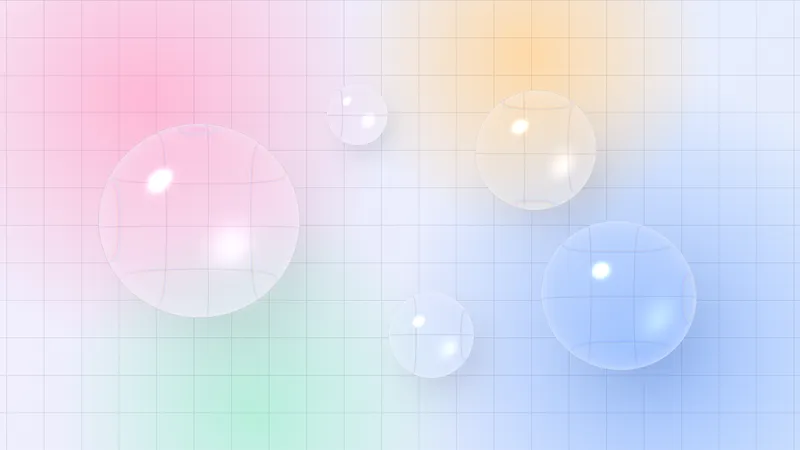
全画面の板に、フラグメントシェーダーを 1 枚かけるだけの背景です。ノイズの座標を円周に沿って回すので、ひと回りすると元の模様に戻り、ループの継ぎ目が出ません。
色は、クリーム・ピーチ・ブルーの 3 つです。ピーチとブルーを別々のノイズで差すと、色が混ざり合っても濁りません。
なめらかなグラデーションは、色の段差が縞(バンディング)になって見えやすくなります。gl_FragCoord から作った細かな揺らぎを色に足して、縞を散らしています。
3 つの色を差し替えるだけで変えられるので、ブランドの色に合わせやすい背景です。
コード
<section class="gradient-hero">
  <!-- 背景は飾りなので、読み上げからは外す -->
  <canvas class="gradient-hero__canvas" aria-hidden="true"></canvas>
  <div class="gradient-hero__inner">
    <p class="gradient-hero__eyebrow">Digital studio — Est. 2014</p>
    <h1 class="gradient-hero__title">Brands that feel alive.</h1>
    <p class="gradient-hero__lead">ブランドの戦略からロゴ、Webサイトまで。最初のスケッチから公開の日まで伴走します。</p>
    <a class="gradient-hero__button" href="/contact/">無料で相談する</a>
  </div>
</section>.gradient-hero {
/* 3 色はここで決める。script.js がこの 3 つを読んでシェーダーへ渡す */
--cream: #fdf5eb;
--peach: #ffa377;
--blue: #7f9eff;
--ink: #262626;
--gutter: clamp(24px, 7vw, 96px);
position: relative;
display: grid;
align-items: center;
min-height: min(90vh, 720px);
padding: 0 var(--gutter);
overflow: hidden;
color: var(--ink);
/* 読み込み中と、WebGL が使えないときの地 */
background-color: var(--cream);
}
.gradient-hero__canvas {
position: absolute;
inset: 0;
display: block;
width: 100%;
height: 100%;
}
.gradient-hero__inner {
position: relative; /* 背景の上に載せる */
max-width: 34em;
}
.gradient-hero__eyebrow {
margin: 0;
font-size: 13px;
font-weight: 700;
letter-spacing: 0.14em;
text-transform: uppercase;
}
.gradient-hero__title {
margin: 24px 0 0;
font-size: clamp(40px, 8vw, 72px);
line-height: 1.05;
letter-spacing: -0.02em;
}
.gradient-hero__lead {
margin: 24px 0 0;
font-size: 18px;
line-height: 1.8;
}
.gradient-hero__button {
display: inline-grid;
place-items: center;
height: 48px;
margin-top: 32px;
padding: 0 32px;
border-radius: 999px;
background-color: var(--ink);
color: var(--cream);
font-size: 15px;
font-weight: 600;
letter-spacing: 0.04em;
text-decoration: none;
}
.gradient-hero__button:focus-visible { outline: 2px solid var(--ink); outline-offset: 4px; }import * as THREE from "three";
const DURATION = 8; // ノイズがひと回りして、同じ模様に戻るまで(秒)
const vertexShader = /* glsl */ `
varying vec2 vUv;
void main() {
vUv = uv;
gl_Position = vec4(position.xy, 0.0, 1.0);
}
`;
const fragmentShader = /* glsl */ `
precision highp float;
uniform vec2 uResolution;
uniform float uPhase;
uniform vec3 uCream;
uniform vec3 uPeach;
uniform vec3 uBlue;
varying vec2 vUv;
vec2 hash2(vec2 p) {
p = vec2(dot(p, vec2(127.1, 311.7)), dot(p, vec2(269.5, 183.3)));
return -1.0 + 2.0 * fract(sin(p) * 43758.5453123);
}
// グラディエントノイズ(-1..1)
float noise(vec2 p) {
vec2 i = floor(p);
vec2 f = fract(p);
vec2 u = f * f * (3.0 - 2.0 * f);
return mix(
mix(dot(hash2(i), f), dot(hash2(i + vec2(1.0, 0.0)), f - vec2(1.0, 0.0)), u.x),
mix(dot(hash2(i + vec2(0.0, 1.0)), f - vec2(0.0, 1.0)), dot(hash2(i + vec2(1.0, 1.0)), f - vec2(1.0, 1.0)), u.x),
u.y
);
}
void main() {
vec2 p = (vUv - 0.5) * vec2(uResolution.x / uResolution.y, 1.0) * 1.1;
// 時間は円周上の座標として足す。1 周すると同じ模様に戻る
vec2 loop = vec2(cos(uPhase), sin(uPhase)) * 0.6;
float n1 = noise(p * 1.2 + loop);
float n2 = noise(p * 1.8 - loop.yx + n1);
float k = clamp(0.5 + 0.5 * (n1 + 0.6 * n2), 0.0, 1.0);
float j = clamp(0.5 + 0.5 * (n2 - 0.4 * n1), 0.0, 1.0);
// 淡い地に、桃色と青を別々のノイズで差す。境目は広めにぼかしてベタ塗りの面を作らない
vec3 color = mix(uCream, uPeach, smoothstep(0.45, 0.85, k));
color = mix(color, uBlue, smoothstep(0.55, 0.95, j) * 0.85);
// 8bit の段差(バンディング)を、細かい揺らぎで散らす
color += (fract(sin(dot(gl_FragCoord.xy, vec2(12.9898, 78.233))) * 43758.5453) - 0.5) / 255.0;
gl_FragColor = vec4(color, 1.0);
}
`;
const reduceMotion = window.matchMedia("(prefers-reduced-motion: reduce)").matches;
document.querySelectorAll(".gradient-hero").forEach((hero) => {
const canvas = hero.querySelector(".gradient-hero__canvas");
const style = getComputedStyle(hero);
// 色は CSS 変数から読む。THREE.Color は線形に直すので、hex を 255 で割った値をそのまま渡す
const rgb = (name) => {
const hex = Number.parseInt(style.getPropertyValue(name).trim().slice(1), 16);
return new THREE.Vector3(((hex >> 16) & 255) / 255, ((hex >> 8) & 255) / 255, (hex & 255) / 255);
};
const uniforms = {
uPhase: { value: 0 },
uResolution: { value: new THREE.Vector2(1, 1) },
uCream: { value: rgb("--cream") },
uPeach: { value: rgb("--peach") },
uBlue: { value: rgb("--blue") },
};
const renderer = new THREE.WebGLRenderer({ canvas });
renderer.setPixelRatio(Math.min(window.devicePixelRatio, 2));
const scene = new THREE.Scene();
// 板は画面ぴったりの 2 x 2。頂点シェーダーがそのまま座標に使うので、カメラは動かさない
const camera = new THREE.OrthographicCamera(-1, 1, 1, -1, 0, 1);
scene.add(new THREE.Mesh(new THREE.PlaneGeometry(2, 2), new THREE.ShaderMaterial({ uniforms, vertexShader, fragmentShader })));
const resize = () => {
const { clientWidth: w, clientHeight: h } = hero;
renderer.setSize(w, h, false); // 大きさは CSS が決めるので、style は書き換えない
uniforms.uResolution.value.set(w, h);
if (reduceMotion) renderer.render(scene, camera);
};
new ResizeObserver(resize).observe(hero);
resize();
// 動きを減らす設定では、1 枚だけ描いて止めておく
if (reduceMotion) return;
renderer.setAnimationLoop((ms) => {
uniforms.uPhase.value = (ms / 1000 / DURATION) * Math.PI * 2;
renderer.render(scene, camera);
});
});