デモ
デモを読み込めませんでした。
仕様
- 用途
- アイコン
- 動作
- DOM
- 種類
- レシピ
- 動作確認
- three 0.186.0・gsap 3.15.0
- 公開日
しくみと調整
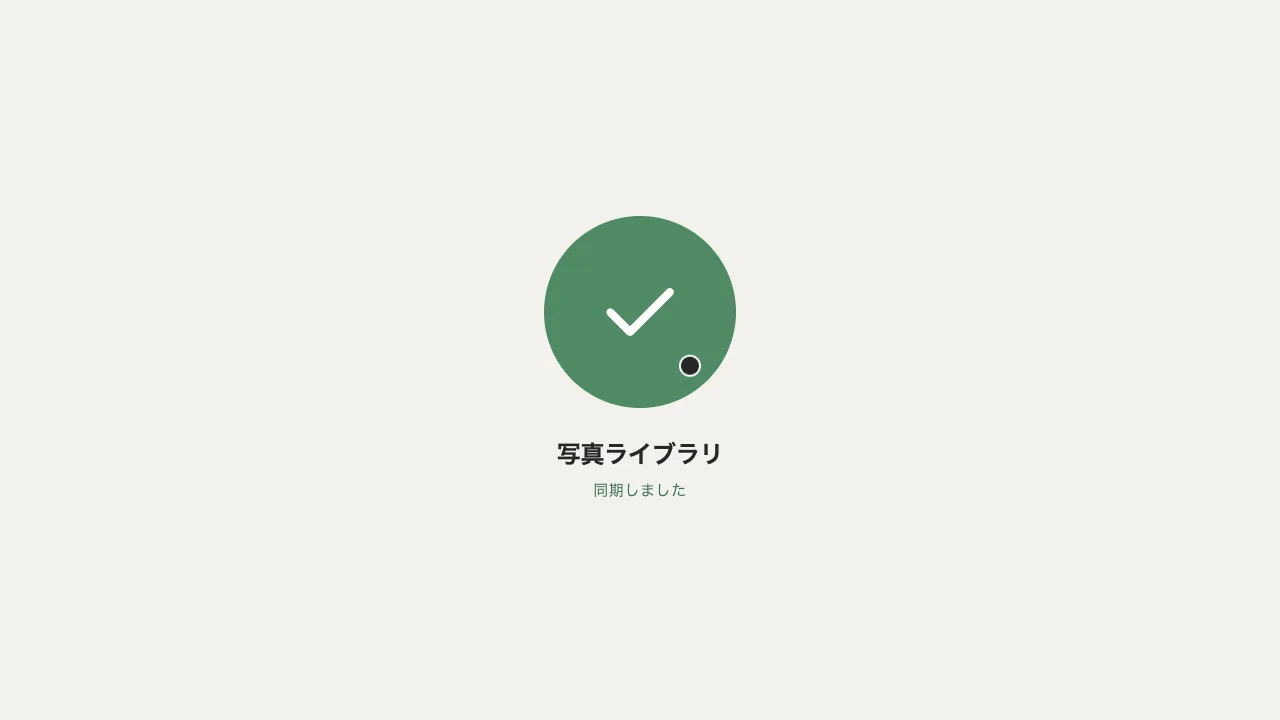
送信ボタンの右端に、紙飛行機の小さな窓(はみ出しを隠す箱)を置き、その中で飛ばします。押すと、紙飛行機が一度後ろへ引いてから右上へ飛び去り、見えない間に左下の外へ移って、戻ってきて少し行き過ぎて止まります。同時にボタンが成功の緑に塗られ、文字が「招待を送る」から「送信しました」へ上に入れ替わります。飛行機が止まってから 1.3 秒保つと、色と文字が元に戻ります。
引くのは 0.14 秒で、左下へ 4px と −6° です。飛び去るのは 0.32 秒の power3.in で、窓の幅より大きく右上へ動かし、窓の外まで出しきります。戻りは 0.5 秒の back.out(1.7) で、傾きも 10° から 0 に戻します。行きはだんだん速く、戻りは行き過ぎて止まるので、窓の中の短い移動でも「飛んでいく・戻ってくる」が伝わります。
飛び去る距離が窓より小さいと、左下へ移る瞬間が窓の中に見えます。窓の幅の 1.44 倍(32px の窓で 46px)動かして出しきってから移します。文字の窓は、2 つの文言を同じ升に重ねて長いほうの幅に合わせ、2 段目を窓の下に隠しておきます。片方を position: absolute にすると、窓の幅が短いほうで決まり、「送信しました」の端が切れます。
送る処理を待つ間と「送信しました」を見せている間は、aria-disabled を付けて押し直しを受けません。このときはクリックの既定の動きも止めます。止めないと、送ったあと空にした欄に、ブラウザの入力の確かめが出ます。2 段目の文言は読み上げから外し、結果は role「status」の要素で知らせ、送れなかったときはその文を目にも見せます。メールアドレスの欄は、ドットの無いドメインを通さないよう pattern を足します。
ボタンの色は、CSS のクラスを付け外しして transition で替えます。動きを減らす設定では、ほぼ一瞬で切り替えます。飛び去る距離・引く量・弾みの強さ・保つ長さで印象が変わります。問い合わせ・招待・チャットの送信ボタンに向いています。
コード
<!-- 招待のフォーム。送ると紙飛行機が飛び、ボタンが「送信しました」に変わって、少し保ってから戻る -->
<form class="invite">
  <div class="invite__head">
    <span class="invite__badge" aria-hidden="true">
      <svg viewBox="0 0 24 24" focusable="false"><circle cx="9.5" cy="8" r="3.5" /><path d="M3 20a6.5 6.5 0 0 1 13 0M19 8v6M16 11h6" /></svg>
    </span>
    <div>
      <h2 class="invite__title">メンバーを招待</h2>
      <p class="invite__lead">ここに説明文が入ります。</p>
    </div>
  </div>
  <div class="invite__row">
    <label class="invite__field">
      <span class="invite__hidden">メールアドレス</span>
      <!-- type="email" はドットの無いドメインも通すので、pattern で足す -->
      <input class="invite__input" type="email" name="email" placeholder="sample@higashiyuki.com" autocomplete="email" required pattern="[^@\s]+@[^@\s]+\.[^@\s]+" />
    </label>
    <button class="send" type="submit">
      <!-- 文字は 2 段を重ねた窓で入れ替える。2 段目は読み上げない(結果は下の status が知らせる) -->
      <span class="send__labels"><span class="send__label">招待を送る</span><span class="send__label" aria-hidden="true">送信しました</span></span>
      <!-- 紙飛行機の窓。飛行機は窓の右上の外へ抜け、左下の外から戻ってくる -->
      <span class="send__slot" aria-hidden="true">
        <svg class="send__plane" viewBox="0 0 24 24" focusable="false"><g><path d="M20.5 3.5 10.8 13.2M20.5 3.5 14.2 20.5 10.8 13.2 3.5 9.8z" /></g></svg>
      </span>
    </button>
  </div>
  <!-- 読み上げへの知らせ。文は data-* から入れる -->
  <p class="invite__status" role="status" data-sent="招待を送信しました" data-failed="送信できませんでした。時間をおいてもう一度お試しください。"></p>
</form>.invite {
--bg: #111111; /* 入力欄の地・主ボタンの文字 */
--surface: #262626; /* カードの面 */
--ink: #eeece6; /* 文字・主ボタンの塗り */
--mute: #a8a6a0; /* 補足の文字 */
--line: rgba(238, 236, 230, 0.14); /* 枠の線 */
--hover: #dedcd6; /* 主ボタンに重ねたとき */
--down: #c9c7c1; /* 主ボタンを押している間 */
--success: #4f8a64; /* 送信したあとのボタン */
--on-success: #ffffff; /* 緑の地の上の文字と紙飛行機 */
--error: #e07a62; /* 入力の誤り */
max-width: 720px;
box-sizing: border-box;
padding: clamp(24px, 6vw, 48px);
border-radius: 4px;
background: var(--surface);
color: var(--ink);
}
.invite__head { display: flex; align-items: center; gap: 16px; }
.invite__badge { display: grid; place-items: center; flex: none; width: 48px; height: 48px; box-sizing: border-box; border: 1px solid var(--line); border-radius: 4px; }
.invite__badge svg { width: 24px; height: 24px; fill: none; stroke: currentColor; stroke-width: 2; stroke-linecap: round; stroke-linejoin: round; }
.invite__title { margin: 0; font-size: 24px; font-weight: 700; line-height: 1.3; letter-spacing: -0.01em; }
.invite__lead { margin: 4px 0 0; color: var(--mute); font-size: 14px; line-height: 1.7; letter-spacing: 0.04em; word-break: auto-phrase; }
/* 狭い画面では、ボタンが欄の下へ回る */
.invite__row { display: flex; flex-wrap: wrap; gap: 16px; margin-top: 32px; }
.invite__field { display: flex; flex: 1 1 220px; }
.invite__input {
flex: 1;
min-width: 0;
height: 56px;
box-sizing: border-box;
padding: 0 16px;
border: 0;
border-radius: 4px;
background: var(--bg);
box-shadow: inset 0 0 0 1px var(--line);
color: var(--ink);
font: inherit;
font-size: 16px;
}
/* 枠は、休みが罫線の色、フォーカスが文字の色、誤りがエラーの色 */
.invite__input:focus { outline: none; box-shadow: inset 0 0 0 1px var(--ink); }
.invite__input:user-invalid { box-shadow: inset 0 0 0 1px var(--error); }
/* 主ボタン(Night は明るい丸帯に暗い文字)。送信したら成功の色で塗る */
.send {
display: flex;
flex: none;
align-items: center;
gap: 8px;
height: 56px;
padding: 0 16px 0 24px;
border: 0;
border-radius: 999px;
background-color: var(--ink);
color: var(--bg);
font: inherit;
font-size: 15px;
font-weight: 600;
letter-spacing: 0.04em;
white-space: nowrap;
cursor: pointer;
transition: background-color 0.15s linear, color 0.15s linear;
}
.send:hover { background-color: var(--hover); }
.send:active { background-color: var(--down); transition-duration: 0.08s; }
.send.is-sent { background-color: var(--success); color: var(--on-success); transition: background-color 0.35s linear 0.25s, color 0.35s linear 0.25s; }
.send[aria-disabled="true"] { cursor: default; }
.send:focus-visible { outline: 2px solid var(--ink); outline-offset: 4px; }
/* 文字の窓。2 段を同じ升に重ねて幅を長いほうに合わせ、2 段目は窓の下に隠しておく */
.send__labels { display: grid; height: 1.3em; overflow: hidden; line-height: 1.3em; text-align: center; }
.send__label { grid-area: 1 / 1; }
.send__label + .send__label { position: relative; top: 110%; }
/* 紙飛行機の窓。飛行機は窓の外へ抜けると見えなくなる */
.send__slot { display: grid; place-items: center; flex: none; width: 32px; height: 32px; overflow: hidden; }
.send__plane { width: 24px; height: 24px; overflow: visible; fill: none; stroke: currentColor; stroke-width: 2; stroke-linecap: round; stroke-linejoin: round; }
/* 目には見せず、読み上げにだけ届ける */
.invite__hidden, .invite__status { position: absolute; width: 1px; height: 1px; overflow: hidden; clip-path: inset(50%); white-space: nowrap; }
/* 送れなかったときの文は、目にも見せる */
.invite__status[data-error] { position: static; width: auto; height: auto; margin: 16px 0 0; clip-path: none; white-space: normal; color: var(--error); font-size: 14px; }
@media (prefers-reduced-motion: reduce) {
.send, .send.is-sent { transition: none; }
}import { gsap } from "gsap";
const HOLD = 1.3; // 「送信しました」を見せておく秒数
const reduceMotion = window.matchMedia("(prefers-reduced-motion: reduce)").matches;
const SPEED = reduceMotion ? 20 : 1; // 動きを減らす設定では、ほぼ一瞬で切り替える
// 招待を送る処理に置き換える(fetch など)。失敗したら reject する
const sendInvite = async (email) => email;
document.querySelectorAll(".invite").forEach((form) => {
const button = form.querySelector(".send");
const plane = form.querySelector(".send__plane");
const tilt = plane.querySelector("g");
const [label, done] = form.querySelectorAll(".send__label");
const status = form.querySelector(".invite__status");
// 窓の外へ抜ける距離。窓より大きくして、飛行機が窓の外まで出きるようにする(32px の窓で 46px)
const out = Math.round(form.querySelector(".send__slot").offsetWidth * 1.44);
gsap.set(tilt, { svgOrigin: "12 12" }); // 傾きと大きさは、紙飛行機の中心を軸にする
// 飛ぶ: 後ろへ引く → 右上の外へ(だんだん速く)→ 見えない間に左下の外へ移す → 戻って少し行き過ぎて止まる
const fly = gsap
.timeline({ paused: true })
.fromTo(plane, { x: 0, y: 0 }, { x: -4, y: 4, duration: 0.14, ease: "power2.out" }, 0)
.fromTo(tilt, { rotation: 0, scale: 1 }, { rotation: -6, scale: 0.94, duration: 0.14, ease: "power2.out" }, 0)
.to(plane, { x: out, y: -out, duration: 0.32, ease: "power3.in" }, 0.14)
.to(tilt, { rotation: -14, scale: 0.86, duration: 0.32, ease: "power3.in" }, 0.14)
.set(plane, { x: -out, y: out }, 0.48)
.set(tilt, { rotation: 10 }, 0.48)
.to(plane, { x: 0, y: 0, duration: 0.5, ease: "back.out(1.7)" }, 0.5)
.to(tilt, { rotation: 0, scale: 1, duration: 0.5, ease: "back.out(1.7)" }, 0.5);
// 送れた: 文字が上へ抜け、「送信しました」が下から入る(ボタンの色は CSS の .is-sent)
const sent = gsap
.timeline({ paused: true })
.to(label, { yPercent: -110, duration: 0.3, ease: "power2.in" }, 0.22)
.to(done, { yPercent: -110, duration: 0.35, ease: "power3.out" }, 0.4);
// 戻す: 「送信しました」が下へ抜け、元の文字が上から戻る
const back = gsap
.timeline({ paused: true })
.to(done, { yPercent: 0, duration: 0.25, ease: "power2.in" }, 0)
.to(label, { yPercent: 0, duration: 0.3, ease: "power3.out" }, 0.12);
// 送っている間と、知らせを見せている間は受けない(欄で Enter を押したときも、このクリックで止まる)
button.addEventListener("click", (event) => {
if (button.getAttribute("aria-disabled") === "true") event.preventDefault();
});
form.addEventListener("submit", async (event) => {
event.preventDefault();
button.setAttribute("aria-disabled", "true");
status.removeAttribute("data-error");
fly.timeScale(SPEED).restart(); // 押したらすぐ飛ばし、送るのと並べて待つ
try {
await sendInvite(form.elements.email.value);
} catch {
status.textContent = status.dataset.failed;
status.setAttribute("data-error", ""); // 失敗の文は目にも見せる
button.removeAttribute("aria-disabled");
return;
}
status.textContent = status.dataset.sent;
form.reset();
button.classList.add("is-sent");
await Promise.all([sent.timeScale(SPEED).restart(), fly]); // 飛行機が戻って止まってから、HOLD 秒保つ
await new Promise((resolve) => setTimeout(resolve, HOLD * 1000));
button.classList.remove("is-sent");
await back.timeScale(SPEED).restart();
status.textContent = ""; // 次に送ったときも、同じ文が読まれるように空けておく
button.removeAttribute("aria-disabled");
});
});