デモ
デモを読み込めませんでした。
仕様
- 用途
- カード
- 動作
- DOM+WebGL
- 種類
- シェーダー
- 動作確認
- three 0.186.0・gsap 3.15.0
- 公開日
しくみと調整
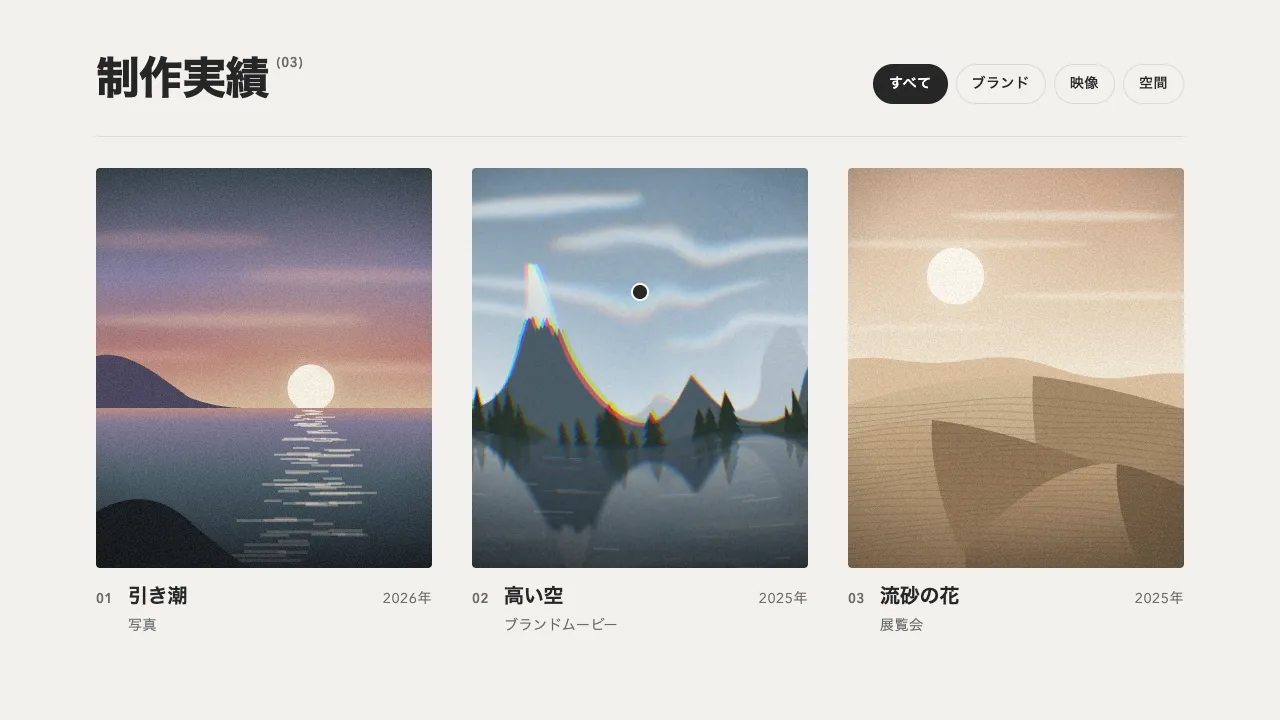
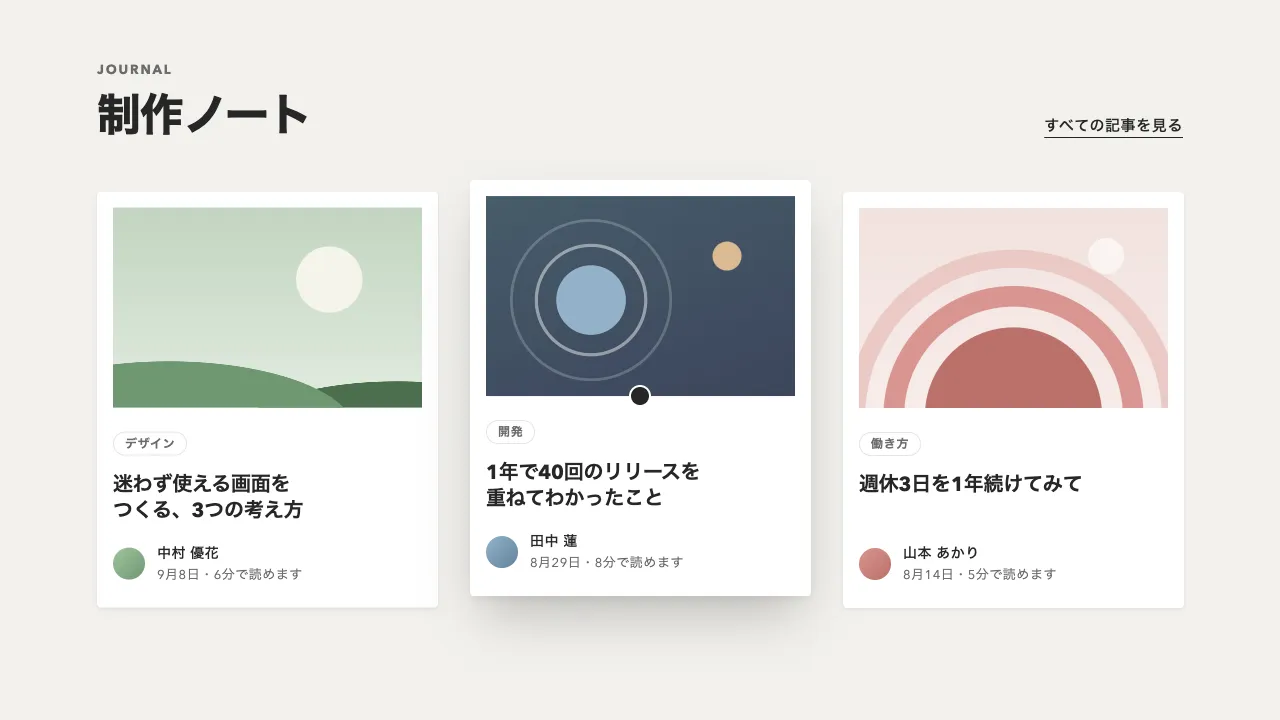
記事カードの画像を WebGL の板に貼り、フラグメントシェーダーでモザイクにします。進み具合を 8 段に分け、ブロックを 128 → 64 → … → 2px と半分ずつ小さくして、最後の段で元の画像にします。ブロックの格子は画像の中心から切るので、端のはみ出しが左右でそろいます。題名などの行は画像に 0.2 秒遅れて、1 行ずつ下からせり上がります。
鮮明になるまでの 1.6 秒を 8 段で割るので、1 段は 0.2 秒です。ブロックの色は 1 点で拾わず、ブロックの半分の大きさに当たるミップマップの段を textureLod で引きます。範囲の平均に近い色になり、段が変わるときのちらつきも出ません。粗いうちは色を掛けて明るく持ち上げ、細かくなるにつれて本来の明るさへ戻すので、画面が点いて焦点が合うように見えます。白を重ねて明るくすると、灰色に濁ります。
WebGL の文脈は、ページに同時にいくつも持てません(ブラウザは 16 前後で古いものから捨てます)。カードが見えたときに文脈を作り、出し終えたら元の img を見せて文脈を捨てるので、カードが何枚あっても、動いている間の分しか持ちません。画像は decode() を待ってから貼ります。読み込み前に貼ると、黒い板が映ります。別のドメインの画像は、CORS を許可して crossorigin 属性を付けないと、テクスチャに使えません。
行を沈めておく位置は、CSS の transform で書かず、スクリプトで yPercent を入れます。CSS に書くと、GSAP がそれを px のずれとして読み込み、yPercent を 0 に戻しても行が出てきません。見えたら 1 回だけ出し、同時に見えたカードは 0.35 秒ずつずらします。Tab で画面の下のカードへ移ったときは、見えないまま焦点が残らないよう、すぐに出します。動きを減らす設定では、はじめから画像と文字を出しておきます。
つまみは、段の数、鮮明になるまでの時間、明るさを持ち上げる量、カードどうしの間です。段を減らすと、最初のブロックが小さくなり 1 段も長くなるので、ゲーム画面のようにはっきりと切り替わります。時間を短くすると、ぱっと焦点が合う軽い出方になります。暗い地の記事一覧のほか、作品一覧・ギャラリー・商品画像の出現に向いています。
コード
<section class="stories" aria-labelledby="stories-title">
  <div class="stories__head">
    <div>
      <p class="stories__label">Journal</p>
      <h2 class="stories__title" id="stories-title">新着記事</h2>
    </div>
    <a class="stories__all" href="/journal/">すべての記事を見る <span aria-hidden="true">→</span></a>
  </div>
  <!-- 画像は見えたときに WebGL のモザイクから現れる。行(.story__line)は 1 行ずつ下からせり上がる -->
  <div class="stories__grid">
    <article class="story">
      <div class="story__frame"><img class="story__image" src="/img/journal-night-lights.jpg" alt="" width="672" height="544"></div>
      <p class="story__line story__meta"><span><b>まち</b> · <time datetime="2026-09-12">9月12日</time></span></p>
      <h3 class="story__title"><a href="/journal/night-lights/"><span class="story__line"><span>夜の街が灯るまで</span></span><span class="story__line"><span>ある夜勤の記録</span></span></a></h3>
      <p class="story__line story__read"><span>8分で読めます</span></p>
    </article>
    <article class="story">
      <div class="story__frame"><img class="story__image" src="/img/journal-slow-living.jpg" alt="" width="672" height="544"></div>
      <p class="story__line story__meta"><span><b>インテリア</b> · <time datetime="2026-09-09">9月9日</time></span></p>
      <h3 class="story__title"><a href="/journal/slow-living/"><span class="story__line"><span>風の通る部屋で、</span></span><span class="story__line"><span>ゆっくり暮らす</span></span></a></h3>
      <p class="story__line story__read"><span>6分で読めます</span></p>
    </article>
    <article class="story">
      <div class="story__frame"><img class="story__image" src="/img/journal-records.jpg" alt="" width="672" height="544"></div>
      <p class="story__line story__meta"><span><b>音楽</b> · <time datetime="2026-09-03">9月3日</time></span></p>
      <h3 class="story__title"><a href="/journal/records/"><span class="story__line"><span>それでも土曜日に</span></span><span class="story__line"><span>レコードを買う理由</span></span></a></h3>
      <p class="story__line story__read"><span>5分で読めます</span></p>
    </article>
  </div>
</section>.stories {
--bg: #111111;
--panel: #262626; /* 画像が出る前の枠の色。script.js がここを読んでシェーダーへ渡すので、#rrggbb で書く */
--ink: #eeece6;
--mute-small: #a8a6a0; /* 16px 未満の文字 */
padding: 56px clamp(16px, 7.5vw, 96px) 96px;
background: var(--bg);
color: var(--ink);
}
.stories__head {
display: flex;
flex-wrap: wrap;
align-items: last baseline;
justify-content: space-between;
gap: 16px 32px;
}
.stories__label {
margin: 0;
color: var(--mute-small);
font-size: 13px;
font-weight: 700;
line-height: 1;
letter-spacing: 0.14em;
text-transform: uppercase;
}
.stories__title { margin: 16px 0 0; font-size: clamp(32px, 5vw, 44px); font-weight: 800; line-height: 1.1; letter-spacing: -0.02em; }
.stories__all {
color: inherit;
font-size: 15px;
font-weight: 600;
letter-spacing: 0.04em;
white-space: nowrap;
text-decoration-thickness: 1px;
text-underline-offset: 0.4em;
}
.stories__grid {
display: grid;
grid-template-columns: repeat(auto-fill, minmax(min(100%, 280px), 1fr));
gap: 48px 40px;
margin-top: 48px;
}
/* カード全体を押せるよう、題のリンクの ::after をカードに広げる */
.story { position: relative; }
.story__title a { color: inherit; text-decoration: none; }
.story__title a::after { content: ""; position: absolute; inset: 0; }
.story__title a:focus-visible { outline: none; }
.story:has(a:focus-visible) { outline: 2px solid var(--ink); outline-offset: 8px; }
/* 画像の枠。WebGL の canvas は、出ている間だけ画像の上に重ねる */
.story__frame {
position: relative;
overflow: hidden;
aspect-ratio: 21 / 17;
border-radius: 4px;
background: var(--panel);
}
.story__frame > * { position: absolute; inset: 0; display: block; width: 100%; height: 100%; }
.story__image { object-fit: cover; }
/* 行を包む枠。中の span を枠の下から持ち上げる */
.story__line { display: block; overflow: hidden; margin: 0; }
.story__line > span { display: block; }
.story__meta {
margin-top: 24px;
color: var(--mute-small);
font-size: 13px;
line-height: 1.5;
letter-spacing: 0.04em;
font-variant-numeric: tabular-nums;
}
.story__meta > span { padding-bottom: 8px; }
.story__meta b { font-weight: 700; letter-spacing: 0.06em; }
.story__title { margin: 0; font-size: 24px; font-weight: 700; line-height: 1.3; letter-spacing: -0.01em; }
.story__read { color: var(--mute-small); font-size: 14px; line-height: 1.7; letter-spacing: 0.04em; }
.story__read > span { padding-top: 8px; }import * as THREE from "three";
import { gsap } from "gsap";
const STEPS = 7; // 段の数。最初のブロックは 2^STEPS px(128px)で、1 段ごとに半分になり、最後に元の画像になる
const REVEAL = 1.6; // 最初のモザイクから鮮明になるまで(秒)
const FADE_IN = 0.12; // 枠の色から最初のモザイクに変わるまで(秒)
const LIFT = 0.5; // 粗いうちに明るく持ち上げる量(0 = 持ち上げない)
const STAGGER = 0.35; // 同時に見えたカードどうしの間(秒)
const TEXT_DELAY = 0.2; // 画像が出始めてから、行が上がり始めるまで(秒)
const reduceMotion = window.matchMedia("(prefers-reduced-motion: reduce)").matches;
const vertexShader = "varying vec2 vUv; void main() { vUv = uv; gl_Position = vec4(position.xy, 0.0, 1.0); }";
const fragmentShader = /* glsl */ `
uniform sampler2D uTex; uniform float uProgress; uniform float uOpacity; uniform float uLift;
uniform vec2 uSize; uniform vec2 uCover; uniform float uTexScale; uniform vec3 uPanel; varying vec2 vUv;
void main() {
float level = min(floor(uProgress * ${STEPS + 1}.0), ${STEPS}.0); // 段ごとにブロックを半分にする
vec2 pos = (vUv - 0.5) * uSize; // 枠の中心を原点にした CSS px。格子を中心から切ると、端のはみ出しが左右でそろう
float block = exp2(${STEPS}.0 - level);
vec2 uv = clamp((floor(pos / block) + 0.5) * block / uSize + 0.5, 0.0, 1.0); // ブロックの中心
uv = 0.5 + (uv - 0.5) * uCover; // object-fit: cover と同じく、画像の中央を切り抜く
// ブロックの色は、ブロックの半分の大きさのミップマップの段から引く(1 点で拾うよりちらつかず、範囲の平均に近い)
vec3 color = level < ${STEPS}.0 ? textureLod(uTex, uv, max(log2(block * uTexScale) - 1.0, 0.0)).rgb : texture2D(uTex, 0.5 + (vUv - 0.5) * uCover).rgb;
color = min(color * (1.0 + uLift), 1.0) + uLift * 0.1; // 粗いうちは色を掛けて明るくする(白を重ねると灰色に濁る)
gl_FragColor = vec4(mix(uPanel, color, uOpacity), 1.0);
}
`;
function reveal(card, delay) {
if (card.dataset.revealed) return;
card.dataset.revealed = "";
const frame = card.querySelector(".story__frame"), img = frame.querySelector("img"), lines = card.querySelectorAll(".story__line > span");
const show = () => { gsap.set(img, { autoAlpha: 1 }); gsap.to(lines, { yPercent: 0, duration: 0.7, ease: "power3.out", stagger: 0.06, delay }); };
// 読み込み前の画像を貼ると黒い板になるので、デコードを待つ。読めなかったら文字だけ出す
img.decode().then(() => {
const canvas = frame.appendChild(document.createElement("canvas"));
const renderer = new THREE.WebGLRenderer({ canvas }); renderer.setPixelRatio(Math.min(window.devicePixelRatio, 2));
const texture = new THREE.Texture(img); texture.needsUpdate = true; // ミップマップ(ブロックの平均色)も作られる
const hex = Number.parseInt(getComputedStyle(card).getPropertyValue("--panel").trim().slice(1), 16);
const uniforms = { uTex: { value: texture }, uProgress: { value: 0 }, uOpacity: { value: 0 }, uLift: { value: 0 }, uSize: { value: new THREE.Vector2() },
uCover: { value: new THREE.Vector2() }, uTexScale: { value: 1 }, uPanel: { value: new THREE.Vector3((hex >> 16) / 255, ((hex >> 8) & 255) / 255, (hex & 255) / 255) } };
const mesh = new THREE.Mesh(new THREE.PlaneGeometry(2, 2), new THREE.ShaderMaterial({ uniforms, vertexShader, fragmentShader }));
const scene = new THREE.Scene().add(mesh), camera = new THREE.Camera(), state = { progress: 0, opacity: 0 };
const draw = () => {
const { clientWidth: w, clientHeight: h } = frame, ratio = w / h / (img.naturalWidth / img.naturalHeight);
if (w !== uniforms.uSize.value.x || h !== uniforms.uSize.value.y) renderer.setSize(w, h, false); // 途中で枠の大きさが変わっても合わせる
uniforms.uSize.value.set(w, h);
uniforms.uCover.value.set(Math.min(1, ratio), Math.min(1, 1 / ratio)); // 画像のうち、枠に見える範囲の比
uniforms.uTexScale.value = Math.min(img.naturalWidth / w, img.naturalHeight / h); // 画像の画素 / CSS px
uniforms.uProgress.value = state.progress;
uniforms.uOpacity.value = state.opacity;
uniforms.uLift.value = LIFT * (1 - state.progress) ** 2; // 細かくなるにつれて本来の明るさへ戻す
renderer.render(scene, camera);
};
// 出し終えたら元の画像を見せ、WebGL を捨てる。カードが何枚あっても、動いている間の分しか文脈を持たない
const finish = () => {
gsap.set(img, { autoAlpha: 1 }); canvas.remove();
mesh.geometry.dispose(); mesh.material.dispose(); texture.dispose(); renderer.dispose(); renderer.forceContextLoss();
};
draw();
gsap.timeline({ delay, onUpdate: draw, onComplete: finish })
.to(state, { opacity: 1, duration: FADE_IN, ease: "none" }, 0)
.to(state, { progress: 1, duration: REVEAL, ease: "none" }, 0)
.to(lines, { yPercent: 0, duration: 0.7, ease: "power3.out", stagger: 0.06 }, TEXT_DELAY);
}, show);
}
document.querySelectorAll(".stories").forEach((section) => {
if (reduceMotion) return; // 動きを減らす設定では何も隠さず、はじめから画像と文字を出しておく
gsap.set(section.querySelectorAll(".story__image"), { autoAlpha: 0 });
// 行は下へ沈めておく。CSS の transform で書くと、GSAP が px のずれとして読み込み、yPercent を 0 にしても出てこない
gsap.set(section.querySelectorAll(".story__line > span"), { yPercent: 110 });
// 画面の下から 15% の線を越えたら 1 回だけ出す。同時に越えたカードは STAGGER ずつずらす
const io = new IntersectionObserver((entries) => {
entries.filter((e) => e.isIntersecting).forEach((e, i) => { io.unobserve(e.target); reveal(e.target, i * STAGGER); });
}, { rootMargin: "0px 0px -15%" });
section.querySelectorAll(".story").forEach((card) => {
io.observe(card);
// Tab で線より下のカードへ移ったときは、見えないまま焦点が残らないよう、すぐ出す
card.addEventListener("focusin", () => { io.unobserve(card); reveal(card, 0); });
});
section.destroy = () => io.disconnect(); // PJAX で捨てるときに呼ぶ(出している途中の WebGL は、出し終えると自分で捨てる)
});