デモ
デモを読み込めませんでした。
仕様
- 用途
- カード
- 動作
- DOM
- 種類
- レシピ
- 動作確認
- three 0.186.0・gsap 3.15.0
- 公開日
しくみと調整
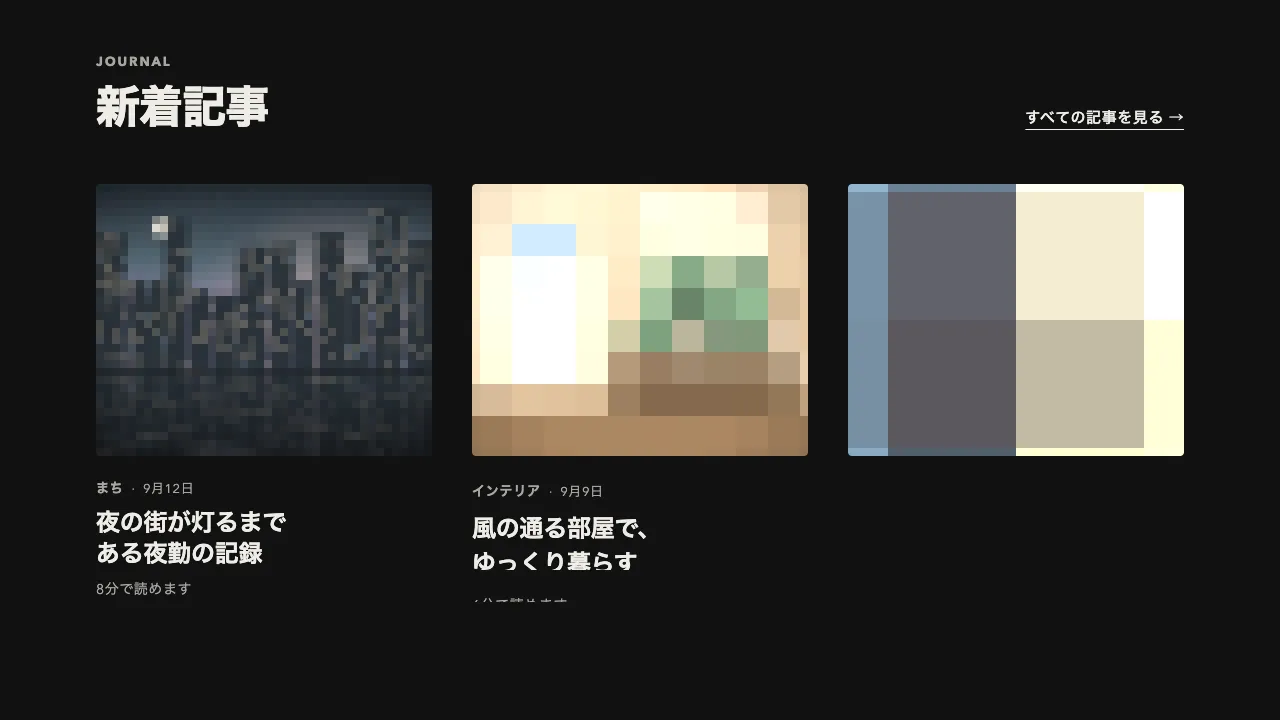
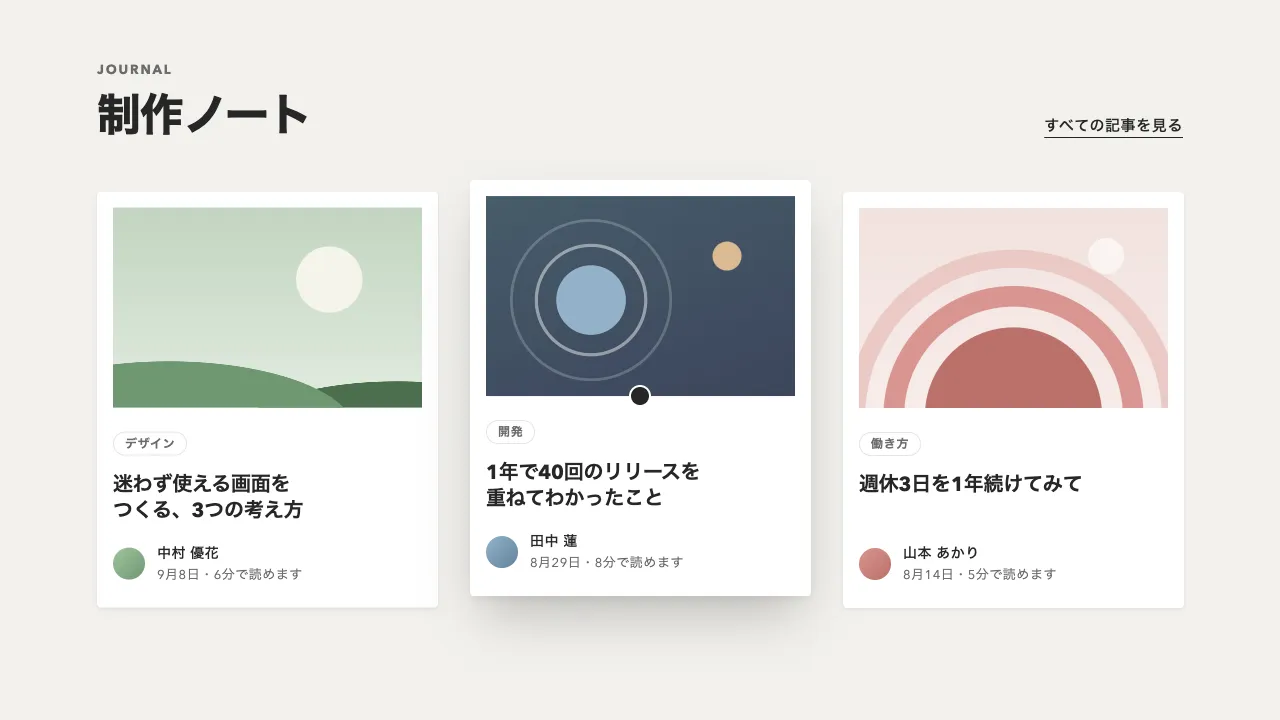
カード全体を 1 つのリンク(<a>)にし、カーソルが重なったら、見出しに左から下線を引き、右下の丸を墨色で塗ります。同時に、丸の中の矢印を右へ抜けさせ、左の外に置き直してから戻します。下線と塗りは止めたタイムラインを重なったら play()、離れたら reverse() し、矢印は入るたびに頭から流します。
下線は見出しの中の span の背景(1 本の linear-gradient)で引き、background-size の幅を 0.5 秒で 0% から 100% へ広げます。inline の要素の背景は、折り返した行をつないだ 1 本の帯として扱われるので、2 行の見出しでも 1 行目の右端から 2 行目の左端へ続けて伸びます。疑似要素で引く線では、2 行目に届きません。
矢印は 1 本だけで、0.22 秒で右の外へ出し(power2.in)、左の外から 0.38 秒で戻します(power3.out)。戻りの fromTo は作った時点で from の値を描くので、immediateRender を false にしておかないと、はじめから矢印が丸の外に隠れます。流れている途中に入り直したときは、頭から流し直しません(isActive() で見分けます)。
リンクの名前は aria-labelledby で見出しだけにし、分類と日付は説明として読ませます。「続きを読む」と矢印は見た目の手がかりなので、読み上げから外します。キーボードで焦点が入ったときも同じ動きにし、動きを減らす設定では、矢印は流さずに下線と塗りだけをほぼ一瞬で切り替えます。
離れたときは入るときの倍の速さで戻し、隣のカードへ移ったときに前の下線が残らないようにしています。下線を 1px にすると控えめに、丸を塗らずに矢印だけを動かすと軽い印象になります。ボタンの中の矢印だけを入れ替える形と違い、カード全体が押せることを見出しと矢印の両方で伝えます。ブログ・お知らせ・事例の一覧に向いています。
コード
<section class="journal" aria-labelledby="journal-title">
  <div class="journal__head">
    <div>
      <p class="journal__label">JOURNAL</p>
      <h2 class="journal__title" id="journal-title">新着記事</h2>
    </div>
    <a class="journal__all" href="/journal/">すべての記事を見る</a>
  </div>

  <ul class="journal__list">
    <li>
      <!-- カード全体が 1 つのリンク。名前は見出しだけにし、分類と日付は説明として読ませる -->
      <a class="post-card" href="/journal/calm-interfaces/" aria-labelledby="post-1-title" aria-describedby="post-1-meta">
        <img class="post-card__image" src="/img/journal-calm.jpg" alt="" width="682" height="464">
        <div class="post-card__body">
          <p class="post-card__meta" id="post-1-meta"><span class="post-card__kind">デザイン</span> <time datetime="2026-09-18">2026年9月18日</time></p>
          <!-- 下線は span の背景で引く(2 行にまたがっても 1 本の線として伸びる) -->
          <h3 class="post-card__title" id="post-1-title"><span>忙しいチームのための、落ち着いた画面のつくり方</span></h3>
          <p class="post-card__more" aria-hidden="true">
            続きを読む
            <span class="post-card__arrow"><span class="post-card__fill"></span><svg viewBox="0 0 24 24" focusable="false"><path d="M5 12h14M13 6l6 6-6 6" /></svg></span>
          </p>
        </div>
      </a>
    </li>

    <li>
      <a class="post-card" href="/journal/motion-that-explains/" aria-labelledby="post-2-title" aria-describedby="post-2-meta">
        <img class="post-card__image" src="/img/journal-motion.jpg" alt="" width="682" height="464">
        <div class="post-card__body">
          <p class="post-card__meta" id="post-2-meta"><span class="post-card__kind">モーション</span> <time datetime="2026-09-09">2026年9月9日</time></p>
          <h3 class="post-card__title" id="post-2-title"><span>飾るためではなく、伝えるための動きを考える</span></h3>
          <p class="post-card__more" aria-hidden="true">
            続きを読む
            <span class="post-card__arrow"><span class="post-card__fill"></span><svg viewBox="0 0 24 24" focusable="false"><path d="M5 12h14M13 6l6 6-6 6" /></svg></span>
          </p>
        </div>
      </a>
    </li>

    <li>
      <a class="post-card" href="/journal/accessible-color/" aria-labelledby="post-3-title" aria-describedby="post-3-meta">
        <img class="post-card__image" src="/img/journal-color.jpg" alt="" width="682" height="464">
        <div class="post-card__body">
          <p class="post-card__meta" id="post-3-meta"><span class="post-card__kind">アクセシビリティ</span> <time datetime="2026-08-28">2026年8月28日</time></p>
          <h3 class="post-card__title" id="post-3-title"><span>誰にでも見やすい配色を選ぶための手引き</span></h3>
          <p class="post-card__more" aria-hidden="true">
            続きを読む
            <span class="post-card__arrow"><span class="post-card__fill"></span><svg viewBox="0 0 24 24" focusable="false"><path d="M5 12h14M13 6l6 6-6 6" /></svg></span>
          </p>
        </div>
      </a>
    </li>
  </ul>
</section>.journal {
--ground: #f2f1ed; /* 地 */
--surface: #ffffff; /* カードの面。塗った丸の上の矢印の色にもなる */
--ink: #262626; /* 文字・下線・矢印の丸 */
--mute: #6b6b6b; /* 分類と日付 */
--line: 2px; /* 下線の太さ */
padding: 64px clamp(16px, 6vw, 96px);
background: var(--ground);
color: var(--ink);
}
.journal__head {
display: flex;
flex-wrap: wrap;
justify-content: space-between;
align-items: flex-end;
gap: 16px 32px;
margin-bottom: 48px;
}
.journal__label { margin: 0; color: var(--mute); font-size: 13px; font-weight: 700; line-height: 1; letter-spacing: 0.14em; }
.journal__title { margin: 16px 0 0; font-size: clamp(32px, 5vw, 44px); font-weight: 800; line-height: 1.1; letter-spacing: -0.02em; }
.journal__all { color: inherit; font-size: 14px; font-weight: 600; letter-spacing: 0.04em; text-decoration-thickness: 1px; text-underline-offset: 0.4em; }
.journal__list {
display: grid;
grid-template-columns: repeat(auto-fill, minmax(280px, 1fr));
gap: 32px;
margin: 0;
padding: 0;
list-style: none;
}
.post-card {
display: flex;
flex-direction: column;
height: 100%;
border-radius: 4px;
overflow: hidden;
background: var(--surface);
color: inherit;
text-decoration: none;
}
.post-card:focus-visible { outline: 2px solid var(--ink); outline-offset: 4px; }
.post-card__image { display: block; width: 100%; height: auto; aspect-ratio: 341 / 232; object-fit: cover; background: #d9d6cc; }
.post-card__body { display: flex; flex-direction: column; flex: 1; padding: 24px; }
.post-card__meta { display: flex; align-items: baseline; gap: 12px; margin: 0; color: var(--mute); font-size: 13px; line-height: 1; letter-spacing: 0.04em; }
.post-card__kind { font-size: 12px; font-weight: 700; letter-spacing: 0.06em; }
.post-card__title { margin: 16px 0 24px; font-size: 22px; font-weight: 700; line-height: 1.36; letter-spacing: -0.01em; word-break: auto-phrase; text-wrap: balance; }
/* 下線は inline の span の背景。幅を 0% → 100% にすると、折り返した行をつないで左から伸びる */
.post-card__title span {
background: linear-gradient(currentColor, currentColor) 0 100% / 0% var(--line) no-repeat;
}
.post-card__more {
display: flex;
justify-content: space-between;
align-items: center;
margin: auto 0 0;
font-size: 14px;
font-weight: 600;
letter-spacing: 0.04em;
}
/* 線の丸。はみ出した矢印は丸の外で切る */
.post-card__arrow {
position: relative;
display: grid;
place-items: center;
width: 40px;
height: 40px;
border-radius: 50%;
box-shadow: inset 0 0 0 1px var(--ink);
overflow: hidden;
color: var(--ink);
}
/* 塗りは線ごと覆う面。GSAP で透明度を上げる */
.post-card__fill { position: absolute; inset: 0; border-radius: inherit; background: var(--ink); opacity: 0; }
.post-card__arrow svg {
position: relative;
width: 20px;
height: 20px;
fill: none;
stroke: currentColor;
stroke-width: 2.4;
stroke-linecap: round;
stroke-linejoin: round;
}import { gsap } from "gsap";
const LEAVE = 2; // 離れたときに戻る速さ(入るときの倍率)。隣へ移ったとき、前の下線が残らない
const reduceMotion = window.matchMedia("(prefers-reduced-motion: reduce)").matches;
// 動きを減らす設定では、下線と塗りをほぼ一瞬で切り替え、矢印は流さない
const speed = reduceMotion ? 20 : 1;
document.querySelectorAll(".post-card").forEach((card) => {
const style = getComputedStyle(card);
const underline = card.querySelector(".post-card__title span");
const fill = card.querySelector(".post-card__fill");
const arrow = card.querySelector(".post-card__arrow svg");
// 下線と塗り。重なったら play、離れたら reverse
const hover = gsap
.timeline({ paused: true })
.to(underline, { backgroundSize: `100% ${style.getPropertyValue("--line").trim()}`, duration: 0.5, ease: "power2.inOut" }, 0)
.to(fill, { opacity: 1, duration: 0.3, ease: "power1.inOut" }, 0)
.to(arrow, { color: style.getPropertyValue("--surface").trim(), duration: 0.3, ease: "power1.inOut" }, 0);
// 矢印は 1 本だけ。右の外へ出し、左の外に置き直してから戻す(戻りきった形で止まるので、離れたときは何もしない)
const nudge = gsap
.timeline({ paused: true })
.to(arrow, { xPercent: 150, duration: 0.22, ease: "power2.in" })
// fromTo は作った時点で from を描くので、後ろに置くときは immediateRender を切る
.fromTo(arrow, { xPercent: -150 }, { xPercent: 0, duration: 0.38, ease: "power3.out", immediateRender: false });
const enter = () => {
hover.timeScale(speed).play();
// 流れている途中に入り直したときは、頭から流し直さない(矢印が飛ぶ)
if (!reduceMotion && !nudge.isActive()) nudge.restart();
};
const leave = () => {
// カーソルもキーボードの焦点もカードから外れたときだけ戻す
if (card.matches(":hover") || card.matches(":focus-visible")) return;
hover.timeScale(speed * LEAVE).reverse();
};
card.addEventListener("pointerenter", enter);
card.addEventListener("pointerleave", leave);
card.addEventListener("focus", enter);
card.addEventListener("blur", leave);
});