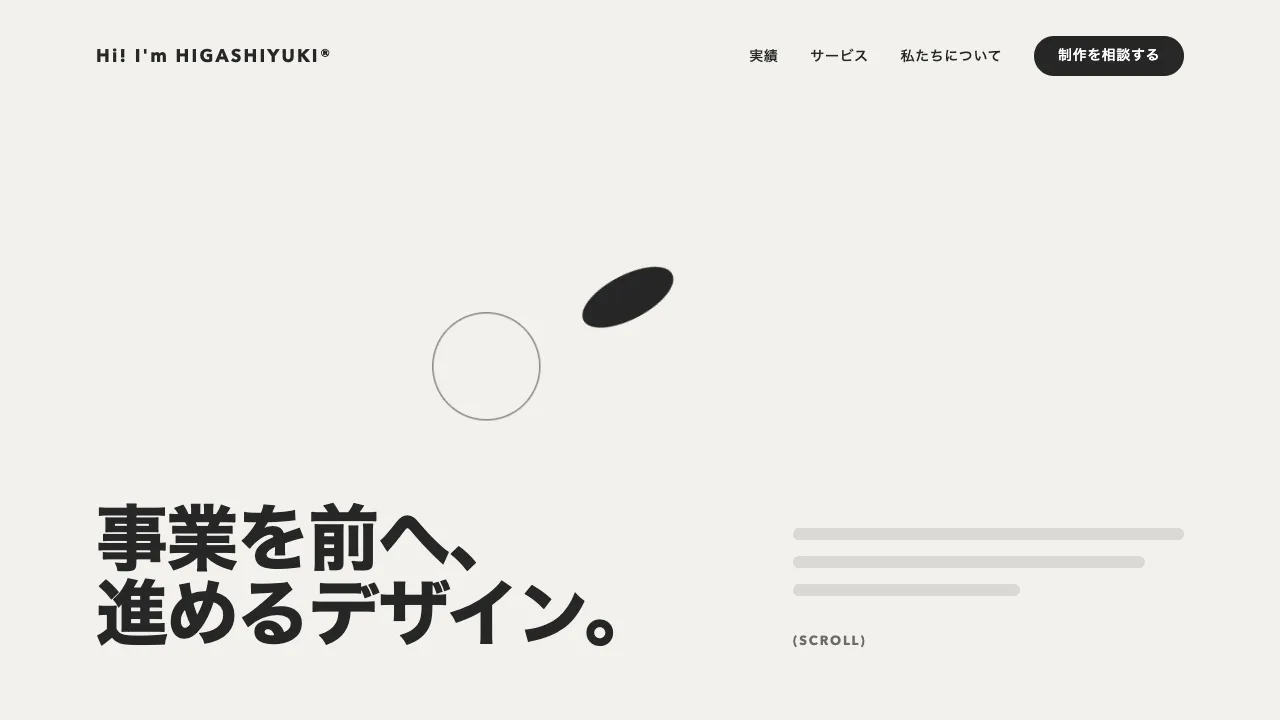
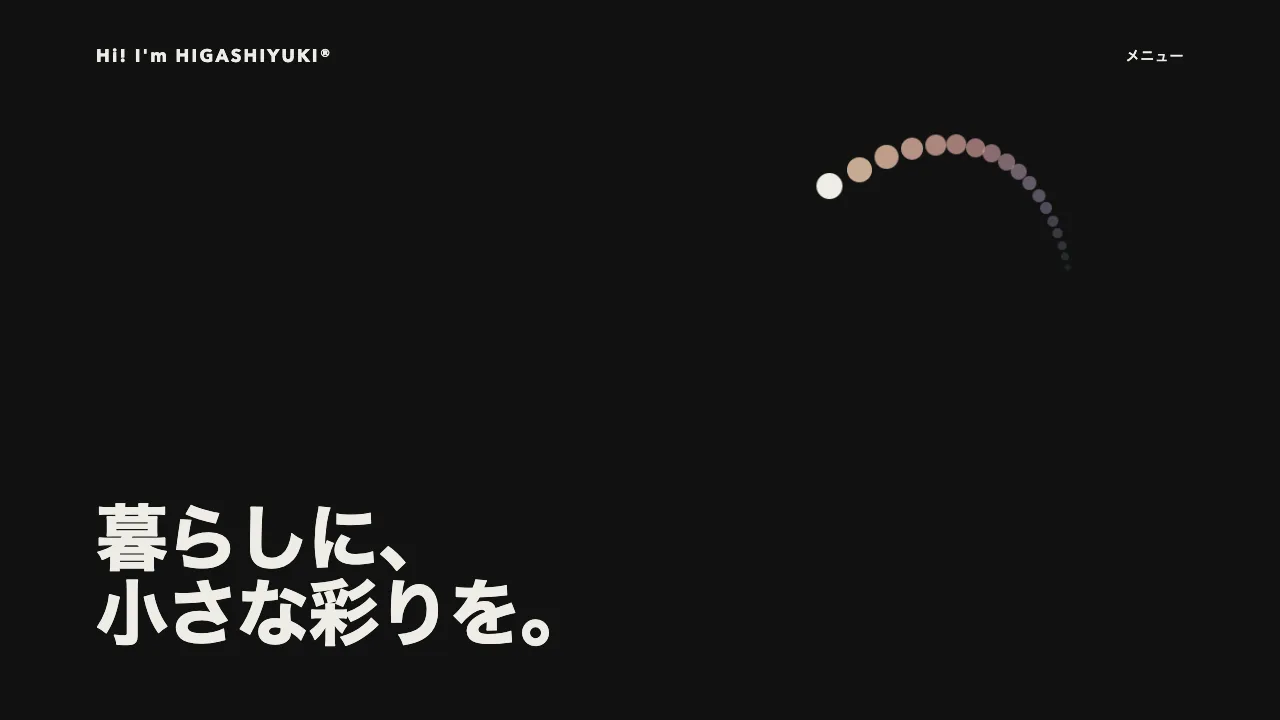
デモ
デモを読み込めませんでした。
仕様
- 用途
- カーソル
- 動作
- DOM+WebGL
- 種類
- シェーダー
- 動作確認
- three 0.186.0・gsap 3.15.0
- 公開日
しくみと調整
全面の板に 1 枚のフラグメントシェーダーをかけて、紙と絵の具を描きます。流体の計算はせず、いまから少し前までのポインタの位置を 48 点、uniform の配列で渡します。隣り合う点を結ぶ線分への距離でガウスの場(メタボールのような場)を作り、ある濃さを越えた所に絵の具をのせます。線分ごとのガウスをそのまま足すと、つなぎ目で場が 2 倍になり、速く動いたときに縁が点の間隔で波打ちます。そこで線分ごとの値は足さずに最大を取り、各点の強さを線分に沿って均した線積分(誤差関数で解けます)の和と大きいほうを使うので、速く動いても一定の太さの線になり、ゆっくり動くと絵の具が溜まります。線分は前後の点で向きを決めた曲線(Catmull-Rom)に曲げて距離を測るので、速く動いて点の間隔が広がっても折れ線に見えません。古い点ほど太く弱くするので、軌跡がにじんで広がりながら乾いていくように見えます。
点の間隔は 0.055 秒で、約 2.6 秒前までの軌跡が残ります。太さは、頭の画面の高さの 1.8% から、にじみきると 8.8% まで広げます。場をノイズで揺らしてからしきい値で切るので、縁が紙の繊維に沿ってギザギザににじみます。境目のすぐ内側を濃くした水彩の縁の溜まり、外側の薄いにじみ、中のむらを足し、色は紙の色に掛け合わせて、重ねるほど暗くします。絵の具の色は、赤茶 → 砂色 → 緑 → 青みの墨 → 紫と 8 秒でめぐり、点ごとに置いた時刻の色なので、軌跡にグラデーションが残ります。
ポインタの位置は、何フレーム前かではなく時刻と一緒に記録し、0.055 秒ずつ前の位置を前後の記録から補間して取り出します。止まっている間は同じ位置が並ぶので、絵の具が溜まって丸く広がります。ヒーローの外へ出た所と入り直した所を線でつなぐと、太い帯が横切ってしまいます。出たら pointerleave で「筆を上げた」印を記録し、その区間の線分はシェーダーで描きません。軌跡を囲む矩形の外はガウスを計算しないので、全面のシェーダーでも軽く済みます。
調整できるのは、点の数と間隔(軌跡の長さ)、頭とにじみきったときの太さ、しきい値、縁のにじみと溜まりの強さ、絵の具の色の並びです。色は CSS 変数に書いて、シェーダーへ渡しています。本物のカーソルはヒーローの中だけ cursor: none で隠し、今の絵の具の色を入れた小さな丸を代わりに出します。指で触る端末と動きを減らす設定では、紙だけを描いて本物のカーソルのままにします。クリエイティブスタジオ・画材や文具・子ども向けのサイトのヒーローに向いています。
コード
<section class="ink-hero" aria-labelledby="ink-hero-title">
  <!-- 紙と絵の具は飾りなので、読み上げからは外す -->
  <canvas class="ink-hero__canvas" aria-hidden="true"></canvas>
  <div class="ink-hero__inner">
    <p class="ink-hero__eyebrow">Design studio</p>
    <h1 class="ink-hero__title" id="ink-hero-title">色で伝える、<br>ブランドづくり。</h1>
    <p class="ink-hero__lead">ここに説明文が入ります。</p>
    <div class="ink-hero__actions">
      <a class="ink-hero__button" href="/works/">実績を見る <span aria-hidden="true">→</span></a>
      <a class="ink-hero__link" href="/contact/">気軽に相談する</a>
    </div>
  </div>
  <p class="ink-hero__hint" aria-hidden="true">カーソルを動かしてみてください</p>
  <!-- 独自カーソルの丸。中は今の絵の具の色になる -->
  <span class="ink-hero__cursor" aria-hidden="true"></span>
</section>.ink-hero {
/* 紙と絵の具の色。script.js がここを読んでシェーダーへ渡すので、#rrggbb で書く */
--paper: #f2f1ed;
--pigments: #bd4436, #ae7532, #429b46, #2f6181, #6148a9; /* この順にめぐる */
--ink: #262626;
--on-ink: #ffffff;
--mute-small: #6b6b6b;
--gutter: clamp(24px, 7vw, 96px);
position: relative;
display: grid;
align-items: center;
min-height: min(90vh, 720px);
padding: 96px var(--gutter);
box-sizing: border-box;
overflow: hidden;
color: var(--ink);
/* 読み込み中と、WebGL が使えないときの地 */
background-color: var(--paper);
}
.ink-hero__canvas { position: absolute; inset: 0; display: block; width: 100%; height: 100%; }
.ink-hero__inner { position: relative; } /* 紙の上に載せる */
.ink-hero__eyebrow {
margin: 0;
color: var(--mute-small);
font-size: 13px;
font-weight: 700;
letter-spacing: 0.14em;
text-transform: uppercase;
}
.ink-hero__title {
margin: 24px 0 0;
font-size: clamp(40px, 8vw, 72px);
font-weight: 800;
line-height: 1.05;
letter-spacing: -0.02em;
word-break: keep-all; /* 和文の見出しを語の途中で折らない */
}
.ink-hero__lead { margin: 24px 0 0; font-size: 18px; line-height: 1.8; letter-spacing: 0.04em; word-break: auto-phrase; }
.ink-hero__actions {
display: flex;
flex-wrap: wrap;
align-items: center;
gap: 24px 32px;
margin-top: 48px;
font-size: 15px;
font-weight: 600;
letter-spacing: 0.04em;
}
.ink-hero__button {
display: inline-flex;
align-items: center;
gap: 8px; /* inline-flex では文言と矢印の間の空白が消えるので、間は gap で取る */
height: 48px;
padding: 0 24px;
border-radius: 999px;
background-color: var(--ink);
color: var(--on-ink);
text-decoration: none;
}
.ink-hero__link { color: inherit; text-decoration-thickness: 1px; text-underline-offset: 0.4em; }
.ink-hero a:focus-visible { outline: 2px solid var(--ink); outline-offset: 4px; }
.ink-hero__hint {
position: absolute;
left: var(--gutter);
bottom: 40px;
margin: 0;
color: var(--mute-small);
font-size: 13px;
letter-spacing: 0.04em;
}
/* 丸の中心をポインタに合わせる。位置は script.js が transform で入れる */
.ink-hero__cursor {
position: absolute;
left: -8px;
top: -8px;
width: 16px;
height: 16px;
box-sizing: border-box;
border: 2px solid var(--ink);
border-radius: 50%;
pointer-events: none; /* 下のリンクを押せるようにする */
visibility: hidden; /* ヒーローの中にポインタがあるときだけ出す */
}
/* 絵の具を描くときだけ、本物のカーソルを隠す。指で触る端末と、動きを減らす設定では描かない */
.ink-hero.is-painting,
.ink-hero.is-painting a { cursor: none; }
.ink-hero:not(.is-painting) .ink-hero__hint { display: none; }import * as THREE from "three";
const N = 48, STEP = 0.055, DURATION = 8; // 軌跡の点の数と間隔(秒。N × STEP 秒前までが残る)、色がひとめぐりする秒数(にじみの模様も同じ周期)
const R0 = 0.018, R1 = 0.088; // 軌跡の頭の太さと、にじみきったときの太さ(ヒーローの高さに対する比)
const THRESHOLD = 0.45, BLEED = 0.85, EDGE = 0.55, TUBE = 1.5; // 絵の具がのる濃さ・縁のにじみ・縁の内側の溜まり・速く動いたときの線の濃さ(太さ)
const f = (v) => v.toFixed(4), vertexShader = "varying vec2 vUv; void main() { vUv = uv; gl_Position = vec4(position.xy, 0.0, 1.0); }"; // f は GLSL の float 定数
const fragmentShader = /* glsl */ `
uniform vec4 uTrail[${N}]; // xy: 位置(高さを 1 とした座標、左下原点)、z: 経過(0 = いま、1 = 消える)、w: 0 なら筆を上げている
uniform vec3 uColor[${N}]; uniform vec4 uBox; uniform vec3 uPaper; uniform float uAspect; uniform float uPhase; varying vec2 vUv;
vec2 hash2(vec2 p) { p = vec2(dot(p, vec2(127.1, 311.7)), dot(p, vec2(269.5, 183.3))); return -1.0 + 2.0 * fract(sin(p) * 43758.5453123); }
float noise(vec2 p) { vec2 i = floor(p), f = fract(p), u = f * f * (3.0 - 2.0 * f); // グラディエントノイズ(-1..1)
return mix(mix(dot(hash2(i), f), dot(hash2(i + vec2(1, 0)), f - vec2(1, 0)), u.x), mix(dot(hash2(i + vec2(0, 1)), f - vec2(0, 1)), dot(hash2(i + 1.0), f - 1.0), u.x), u.y); }
float erf(float x) { float x2 = x * x; return sign(x) * sqrt(1.0 - exp(-x2 * (1.2732395 + 0.147 * x2) / (1.0 + 0.147 * x2))); } // 誤差関数の近似
void main() {
vec2 p = vUv * vec2(uAspect, 1.0); float cap = 0.0, density = 0.0, weight = 0.0, ageSum = 0.0; vec3 tint = vec3(0.0);
float fiber = noise(p * 220.0) * 0.6 + noise(p * vec2(70.0, 160.0)) * 0.4; // 紙の繊維。むらと四隅の陰も足す
vec3 paper = uPaper * (0.985 + 0.02 * noise(p * 2.5) + 0.025 * fiber) * (1.0 - 0.1 * dot(vUv - 0.5, vUv - 0.5)), color = paper;
if (all(greaterThan(p, uBox.xy)) && all(lessThan(p, uBox.zw))) for (int k = 0; k < ${N - 1}; k++) {
vec4 a = uTrail[k], b = uTrail[k + 1], a0 = uTrail[max(k - 1, 0)], b1 = uTrail[min(k + 2, ${N - 1})]; if (a.w * b.w < 0.5) continue; // 筆を上げていた区間は描かない
vec2 pa = p - a.xy, ba = b.xy - a.xy; float len = max(length(ba), 1e-6), x = dot(pa, ba) / len, h = clamp(x / len, 0.0, 1.0); // 線分に沿った位置
vec2 ta = (b.xy - mix(a.xy, a0.xy, a0.w)) * 0.5 - ba, tb = (mix(b.xy, b1.xy, b1.w) - a.xy) * 0.5 - ba; // 前後の点で決めた両端の向き(筆を上げた点は使わない)
if (length(pa - ba * h) > 0.1482 * (length(ta) + length(tb)) + 3.5 * mix(${f(R0)}, ${f(R1)}, sqrt(b.z))) continue; // 遠い線分は効かないので飛ばす(曲線は弦から少ししか離れない)
vec2 q = pa - ba * h - h * (1.0 - h) * ((1.0 - h) * ta - h * tb); // 線分を Catmull-Rom 曲線に曲げる。つなぎ目で向きがそろい、速く動いても折れない
for (int i = 0; i < 2; i++) { vec2 t = ba + (1.0 - h) * (1.0 - 3.0 * h) * ta - h * (2.0 - 3.0 * h) * tb; h = clamp(h + dot(q, t) / max(dot(t, t), 1e-8), 0.0, 1.0); q = pa - ba * h - h * (1.0 - h) * ((1.0 - h) * ta - h * tb); } // 接線の向きに寄せて、いちばん近い曲線の点を探す
float y = (q.x * ba.y - q.y * ba.x) / len, age = mix(a.z, b.z, h), r = mix(${f(R0)}, ${f(R1)}, sqrt(age)), w = pow(1.0 - age, 1.3); // 古いほど太く(にじむ)、弱く(乾く)
float g = w * exp(-dot(q, q) / (r * r)); cap = max(cap, ${f(TUBE)} * g); weight += g; tint += mix(uColor[k], uColor[k + 1], h) * g; ageSum += age * g;
density += len > 0.05 * r ? w * exp(-y * y / (r * r)) * 0.8862269 * r * (erf(x / r) - erf((x - len) / r)) / len : w * exp(-dot(pa - ba * 0.5, pa - ba * 0.5) / (r * r)); // 強さを線分に沿って均した線積分
}
float field = max(cap, density); if (field > 0.02) { // 管は足さずに最大を取る(足すとつなぎ目で 2 倍になり、縁が点の間隔で波打つ)。ゆっくりだと均した和が効いて溜まる
float age = ageSum / weight, fade = pow(1.0 - age, 0.6); vec2 drift = vec2(cos(uPhase), sin(uPhase)) * 0.25; // 場をノイズで揺らしてからしきい値で切ると、縁がにじむ
float wet = field * (1.0 + ${f(BLEED)} * (noise(p * 5.0 + drift) * 0.5 + noise(p * 13.0 - drift) * 0.3 + noise(p * 34.0) * 0.2) * (0.25 + 0.75 * age));
float cover = smoothstep(${f(THRESHOLD - 0.025)}, ${f(THRESHOLD + 0.025)}, wet), rim = 1.0 - smoothstep(${f(THRESHOLD)}, ${f(THRESHOLD * 2)}, wet); // 縁の内側ほど濃い
float halo = smoothstep(${f(THRESHOLD * 0.12)}, ${f(THRESHOLD)}, wet) * (1.0 - cover) * (0.12 + 0.3 * age) * fade; // 縁の外へのにじみ
float amount = (cover * (0.58 + ${f(EDGE)} * rim) * (0.82 + 0.36 * (noise(p * 9.0 + 3.1) * 0.5 + 0.5)) * fade + halo) * (0.86 + 0.28 * fiber); // 中のむらと粒
color = paper * mix(vec3(1.0), tint / weight, clamp(amount, 0.0, 1.0)); // 紙の色に掛け合わせる(重ねるほど暗い)
}
gl_FragColor = vec4(color, 1.0);
}
`;
const reduceMotion = window.matchMedia("(prefers-reduced-motion: reduce)").matches, canHover = window.matchMedia("(hover: hover) and (pointer: fine)").matches; // 指で触る端末では描かない
document.querySelectorAll(".ink-hero").forEach((hero) => {
const css = (name) => getComputedStyle(hero).getPropertyValue(name);
// THREE.Color は線形に直すので、hex を 255 で割った値をそのまま渡す
const rgb = (hex) => new THREE.Vector3(...[1, 3, 5].map((i) => Number.parseInt(hex.trim().slice(i, i + 2), 16) / 255));
const pigments = css("--pigments").split(",").map(rgb), cursor = hero.querySelector(".ink-hero__cursor");
const uniforms = { uTrail: { value: Array.from({ length: N }, () => new THREE.Vector4()) }, uColor: { value: Array.from({ length: N }, () => new THREE.Vector3()) },
uBox: { value: new THREE.Vector4() }, uPaper: { value: rgb(css("--paper")) }, uAspect: { value: 1 }, uPhase: { value: 0 } };
const renderer = new THREE.WebGLRenderer({ canvas: hero.querySelector(".ink-hero__canvas") }); renderer.setPixelRatio(Math.min(window.devicePixelRatio, 2));
const scene = new THREE.Scene(), camera = new THREE.OrthographicCamera(-1, 1, 1, -1, 0, 1);
const mesh = new THREE.Mesh(new THREE.PlaneGeometry(2, 2), new THREE.ShaderMaterial({ uniforms, vertexShader, fragmentShader })); mesh.frustumCulled = false; scene.add(mesh);
const history = []; // ポインタの記録(新しいものが先頭。ヒーローの幅・高さに対する比)。up は筆を上げた(ヒーローを出た)印
const at = (time) => { // time 秒の位置。筆を上げていた間と、記録より前は ink: 0。止まっている間は同じ位置が並び、絵の具が溜まる
const i = history.findIndex((e) => e.time <= time), e = history[i], next = history[i - 1];
if (!e || e.up) return { x: 0, y: 0, ...(e ?? history.at(-1)), ink: 0 };
const s = next ? (time - e.time) / (next.time - e.time) : 0;
return { x: e.x + ((next?.x ?? e.x) - e.x) * s, y: e.y + ((next?.y ?? e.y) - e.y) * s, ink: 1 };
};
const pigmentAt = (time, out) => { // 隣の色へなめらかに移る
const u = ((((time / DURATION) % 1) + 1) % 1) * pigments.length, i = Math.floor(u), s = (u - i) ** 2 * (3 - 2 * (u - i));
return out.lerpVectors(pigments[i], pigments[(i + 1) % pigments.length], s);
};
const box = new THREE.Box2(), point = new THREE.Vector2();
const draw = (now) => {
box.makeEmpty(); while (history.length > 2 && history.at(-2).time < now - N * STEP) history.pop(); // 古い記録を捨てる(補間に要る 1 つは残す)
for (let k = 0; k < N; k++) {
const p = at(now - k * STEP), x = p.x * uniforms.uAspect.value;
uniforms.uTrail.value[k].set(x, 1 - p.y, k / (N - 1), p.ink); pigmentAt(now - k * STEP, uniforms.uColor.value[k]);
if (p.ink) box.expandByPoint(point.set(x, 1 - p.y));
}
// 軌跡の外の画素は計算しない(ガウスが十分小さくなる、太さの 3 倍まで)。絵の具が無ければ紙だけ
if (box.isEmpty()) box.set(point.set(0, 0), point); else box.expandByScalar(R1 * 3);
uniforms.uBox.value.set(box.min.x, box.min.y, box.max.x, box.max.y);
uniforms.uPhase.value = ((now / DURATION) % 1) * Math.PI * 2;
renderer.render(scene, camera);
cursor.style.backgroundColor = `rgb(${uniforms.uColor.value[0].toArray().map((v) => Math.round(v * 255))})`; // 丸の中は今の絵の具の色
};
const painting = canHover && !reduceMotion; hero.classList.toggle("is-painting", painting);
hero.addEventListener("pointermove", (e) => {
if (!painting) return;
const r = hero.getBoundingClientRect(), x = (e.clientX - r.left) / r.width, y = (e.clientY - r.top) / r.height;
history.unshift({ x, y, time: performance.now() / 1000 });
Object.assign(cursor.style, { transform: `translate(${x * hero.clientWidth}px, ${y * hero.clientHeight}px)`, visibility: "visible" });
});
hero.addEventListener("pointerleave", () => { // 出たら筆を上げる。入り直した所から、新しい線が始まる
if (history[0] && !history[0].up) history.unshift({ ...history[0], time: performance.now() / 1000, up: true }); cursor.style.visibility = "";
});
const sizes = new ResizeObserver(() => {
renderer.setSize(hero.clientWidth, hero.clientHeight, false); uniforms.uAspect.value = hero.clientWidth / hero.clientHeight; // style は書き換えない
if (!painting) draw(0); // 描かないときは、紙を 1 枚だけ描いて止める
});
// 毎フレーム描き直すので、画面の外では回さない
const view = new IntersectionObserver(([e]) => renderer.setAnimationLoop(e.isIntersecting && painting ? (ms) => draw(ms / 1000) : null));
sizes.observe(hero); view.observe(hero);
hero.destroy = () => { // PJAX で捨てるときに呼ぶ。放っておくと WebGL の文脈が積み上がる
renderer.setAnimationLoop(null); sizes.disconnect(); view.disconnect();
mesh.geometry.dispose(); mesh.material.dispose(); renderer.dispose(); renderer.forceContextLoss();
};
});