デモ
デモを読み込めませんでした。
仕様
- 用途
- オーバーレイ
- 動作
- DOM
- 種類
- レシピ
- 動作確認
- three 0.186.0・gsap 3.15.0
- 公開日
しくみと調整
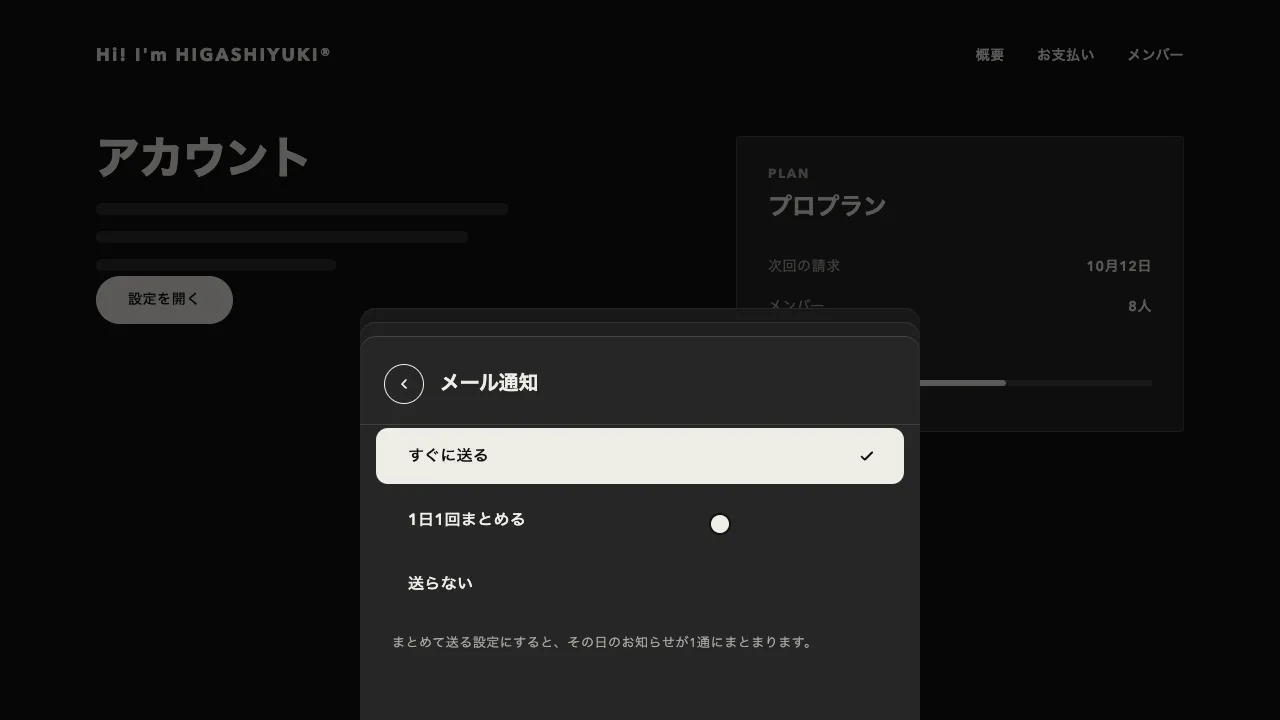
「絞り込む」を押すと、後ろの一覧が暗くなってパネルが右から滑り込み、条件の群が上の段から順に現れます。条件にチェックを入れると、その行の言葉がチップになって上の帯へ飛んで積まれ、下のボタンの件数が前の数から新しい数まで数え変わります。チップの × を押すと、チップが縮んで消え、右のチップが左へ詰まり、対応するチェックも外れます。パネルを閉じると、選んだ条件で後ろの一覧が並び替わります。残る商品のカードは新しい位置へ滑り、外れるカードは縮みながら消え、加わるカードは下からせり上がります。打った語をその場でチップに変える入力欄と違い、チップは選んだ行から飛んでくるので、どの条件が札になったのかを目で追えます。
パネルは0.65秒の expo.out で入り、動きの大半を最初の0.2秒で済ませてからゆっくり止まります。条件の群は入り始めの0.3秒後から、0.035秒ずつずらして現れます。チップが飛ぶのは0.45秒の power3.out で、0.62倍の大きさから始めます。チェックは押した瞬間に入れます。チップが飛び終わるのを待つと、押した手応えが遅れて感じられます。一覧では、外れるカードが0.3秒で0.7倍まで縮んで消え、残るカードが0.6秒の power3.inOut で滑り、加わるカードは0.25秒待ってから0.06秒ずつずらして下から上がります。外れるカードが退いてから入れると、同じ場所で 2 枚が重なりません。
飛ばす前に、今あるチップの並びを覚えておきます。チップを先に帯へ置いてから位置を測り、覚えた並びとの差を戻して動かすと、飛んでくるチップと押し出されるチップを同じ流れで動かせます。公開用のコードでは、この覚えて戻す所を GSAP の Flip プラグインに任せています。外すときは、チップを縮めきってから外します。先に外すと、右のチップが跳ねるように詰まります。一覧の並び替えも同じ Flip で、動いている間だけカードを流れから外し(absolute)、潰れるグリッドの高さは前の高さから次の高さへ補間します。加わるカードは yPercent で上げます。Flip は行き先へ合わせるのに縦の位置(y)を使うので、それを上書きすると、加わるカードが 1 段目に集まってしまいます。
帯の「すべての商品」とチップの列は同じ場所に重ねて置き、条件が選ばれたら入れ替えます。チェックは appearance: none の四角に印を背景の画像で描くので、キーボードでもそのまま選べます。パネルはダイアログの要素に入れて showModal で開き、焦点の閉じ込めと、閉じたあとの焦点の戻しを任せます。Esc は既定だとその場で消えてしまうので、cancel を止めて同じ動きで閉じます。
パネルの幅は416pxで、狭い画面では画面の幅いっぱいに広げます。件数は、選んだ条件で取り直した結果を入れ替えるだけで済みます。一覧の件数の行は読み上げにも届く領域に置き、「条件をクリア」では同じ動きのまま元の一覧に戻します。動きを減らす設定では、出入りとチップの動きをほぼ一瞬にします。商品の一覧、物件や求人の検索、記事の絞り込みのように、条件を重ねながら結果の数を確かめたい画面に向いています。
コード
<section class="shop" aria-labelledby="shop-title">
  <h2 class="shop__title" id="shop-title">バッグ</h2>
  <div class="shop__bar">
    <!-- 件数は絞り込むたびに書き換わるので、読み上げにも届ける -->
    <p class="shop__total" role="status"><span data-filter-total>14</span>件の商品</p>
    <button class="filter-open" type="button" data-filter-open>絞り込む</button>
    <button class="filter-clear" type="button" data-filter-clear hidden>条件をクリア</button>
  </div>
  <!-- 商品のカード。data-type・data-price・data-color は、絞り込みの条件(name と value)と同じ語にする。出すのは合うものの先頭 6 件 -->
  <ul class="shop__grid" data-filter-grid>
    <li class="item" data-type="リュック" data-price="5,000〜10,000円" data-color="ブラック"><a href="/bags/canvas-backpack/"><img src="/img/bags/canvas-backpack.jpg" alt="" width="640" height="368"><span class="item__name">帆布のリュック</span><span class="item__price">¥9,800</span></a></li>
    <li class="item" data-type="ポーチ" data-price="〜5,000円" data-color="グリーン"><a href="/bags/wool-pouch/"><img src="/img/bags/wool-pouch.jpg" alt="" width="640" height="368"><span class="item__name">ウールのポーチ</span><span class="item__price">¥3,200</span></a></li>
    <li class="item" data-type="トート" data-price="〜5,000円" data-color="ベージュ"><a href="/bags/linen-tote/"><img src="/img/bags/linen-tote.jpg" alt="" width="640" height="368"><span class="item__name">リネンのトートバッグ</span><span class="item__price">¥4,400</span></a></li>
    <li class="item" data-type="リュック" data-price="10,000円〜" data-color="ブラック"><a href="/bags/leather-backpack/"><img src="/img/bags/leather-backpack.jpg" alt="" width="640" height="368"><span class="item__name">革のリュック</span><span class="item__price">¥12,600</span></a></li>
    <li class="item" data-type="トート" data-price="〜5,000円" data-color="ベージュ"><a href="/bags/cotton-tote/"><img src="/img/bags/cotton-tote.jpg" alt="" width="640" height="368"><span class="item__name">コットンのトートバッグ</span><span class="item__price">¥4,900</span></a></li>
    <li class="item" data-type="ポーチ" data-price="〜5,000円" data-color="ブラック"><a href="/bags/nylon-pouch/"><img src="/img/bags/nylon-pouch.jpg" alt="" width="640" height="368"><span class="item__name">ナイロンのポーチ</span><span class="item__price">¥2,800</span></a></li>
    <li class="item" data-type="トート" data-price="5,000〜10,000円" data-color="ベージュ"><a href="/bags/hemp-tote/"><img src="/img/bags/hemp-tote.jpg" alt="" width="640" height="368"><span class="item__name">麻のトートバッグ</span><span class="item__price">¥5,500</span></a></li>
    <li class="item" data-type="トート" data-price="〜5,000円" data-color="ベージュ"><a href="/bags/canvas-tote-light/"><img src="/img/bags/canvas-tote-light.jpg" alt="" width="640" height="368"><span class="item__name">キャンバスのトートバッグ</span><span class="item__price">¥3,900</span></a></li>
    <li class="item" data-type="トート" data-price="5,000〜10,000円" data-color="ベージュ"><a href="/bags/canvas-tote/"><img src="/img/bags/canvas-tote.jpg" alt="" width="640" height="368"><span class="item__name">帆布のトートバッグ</span><span class="item__price">¥6,600</span></a></li>
    <li class="item" data-type="トート" data-price="5,000〜10,000円" data-color="ベージュ"><a href="/bags/wool-tote/"><img src="/img/bags/wool-tote.jpg" alt="" width="640" height="368"><span class="item__name">ウールのトートバッグ</span><span class="item__price">¥8,200</span></a></li>
    <li class="item" data-type="トート" data-price="10,000円〜" data-color="ブラック"><a href="/bags/leather-tote/"><img src="/img/bags/leather-tote.jpg" alt="" width="640" height="368"><span class="item__name">革のトートバッグ</span><span class="item__price">¥12,800</span></a></li>
    <li class="item" data-type="トート" data-price="〜5,000円" data-color="グリーン"><a href="/bags/nylon-tote/"><img src="/img/bags/nylon-tote.jpg" alt="" width="640" height="368"><span class="item__name">ナイロンのトートバッグ</span><span class="item__price">¥3,600</span></a></li>
    <li class="item" data-type="ポーチ" data-price="〜5,000円" data-color="ベージュ"><a href="/bags/canvas-pouch/"><img src="/img/bags/canvas-pouch.jpg" alt="" width="640" height="368"><span class="item__name">帆布のポーチ</span><span class="item__price">¥2,400</span></a></li>
    <li class="item" data-type="リュック" data-price="5,000〜10,000円" data-color="グリーン"><a href="/bags/cotton-backpack/"><img src="/img/bags/cotton-backpack.jpg" alt="" width="640" height="368"><span class="item__name">コットンのリュック</span><span class="item__price">¥7,400</span></a></li>
  </ul>
</section>

<!-- showModal() で開く <dialog> には、焦点の閉じ込め・背面の締め出し・Esc・焦点の戻しが付いてくる -->
<dialog class="filter" aria-labelledby="filter-title">
  <div class="filter__scrim" data-filter-close></div>
  <form class="filter__panel">
    <div class="filter__head">
      <h2 class="filter__title" id="filter-title">絞り込む</h2>
      <button class="filter__icon" type="button" aria-label="絞り込みを閉じる" data-filter-close>
        <svg viewBox="0 0 24 24" aria-hidden="true"><path d="M6 6l12 12M18 6 6 18" /></svg>
      </button>
    </div>

    <!-- 選んだ条件の帯。チップはここへ足す -->
    <div class="filter__band">
      <p class="filter__legend">SELECTED</p>
      <p class="filter__empty">すべての商品</p>
      <ul class="filter__chips" data-filter-chips aria-label="選んだ条件"></ul>
    </div>

    <div class="filter__list">
      <fieldset>
        <legend>種類</legend>
        <label><input type="checkbox" id="f-tote" name="type" value="トート"><span>トート</span><b>8</b></label>
        <label><input type="checkbox" id="f-pack" name="type" value="リュック"><span>リュック</span><b>3</b></label>
        <label><input type="checkbox" id="f-pouch" name="type" value="ポーチ"><span>ポーチ</span><b>3</b></label>
      </fieldset>
      <fieldset>
        <legend>価格帯</legend>
        <label><input type="checkbox" id="f-low" name="price" value="〜5,000円"><span>〜5,000円</span><b>7</b></label>
        <label><input type="checkbox" id="f-mid" name="price" value="5,000〜10,000円"><span>5,000〜10,000円</span><b>5</b></label>
        <label><input type="checkbox" id="f-high" name="price" value="10,000円〜"><span>10,000円〜</span><b>2</b></label>
      </fieldset>
      <fieldset>
        <legend>色</legend>
        <label><input type="checkbox" id="f-beige" name="color" value="ベージュ"><span>ベージュ</span><b>7</b></label>
        <label><input type="checkbox" id="f-black" name="color" value="ブラック"><span>ブラック</span><b>4</b></label>
        <label><input type="checkbox" id="f-green" name="color" value="グリーン"><span>グリーン</span><b>3</b></label>
      </fieldset>
    </div>

    <button class="filter__apply" type="submit" data-filter-count>14件を見る</button>
  </form>
</dialog>

<!-- 足すチップのひな形 -->
<template data-filter-chip>
  <li class="chip">
    <span class="chip__name"></span>
    <button class="chip__x" type="button" data-chip-remove>
      <svg viewBox="0 0 24 24" aria-hidden="true"><path d="M6 6l12 12M18 6 6 18" /></svg>
    </button>
  </li>
</template>.filter {
--ink: #eeece6; /* 文字 */
--mute: #a8a6a0; /* 小さい補足の文字 */
--surface: #262626; /* パネルの地 */
--line: rgba(238, 236, 230, 0.14); /* 罫線 */
--scrim: rgba(0, 0, 0, 0.55); /* 後ろの一覧を暗くする幕 */
/* dialog を画面いっぱいに広げる(既定の余白・枠・最大の大きさを外す) */
width: 100%; max-width: none; height: 100%; max-height: none;
margin: 0; padding: 0; border: 0; background: none;
color: var(--ink); overflow: clip;
}
.filter::backdrop { background: none; }
.filter__scrim { position: absolute; inset: 0; background-color: var(--scrim); }
/* 開いているあいだは後ろの一覧を止め、スクロールバーの幅を先に空けておく */
html:has(.filter[open]) { overflow: hidden; scrollbar-gutter: stable; }
/* 影は付けず、左の縁に罫線 */
.filter__panel { position: absolute; inset: 0 0 0 auto; display: flex; flex-direction: column; width: min(416px, 100%); background-color: var(--surface); box-shadow: inset 1px 0 0 var(--line); }
.filter__head { display: flex; flex: none; align-items: center; height: 40px; padding: 28px 24px; }
.filter__title { margin: 0; font-size: 20px; line-height: 1; letter-spacing: -0.01em; }
.filter__icon { display: grid; place-items: center; width: 40px; height: 40px; margin-left: auto; padding: 0; border: 0; border-radius: 50%; box-shadow: inset 0 0 0 1px var(--ink); background: none; color: var(--ink); cursor: pointer; }
.filter__icon svg { width: 16px; height: 16px; }
.filter__icon svg, .chip__x svg { fill: none; stroke: currentColor; stroke-width: 3; stroke-linecap: round; stroke-linejoin: round; }
/* 「すべての商品」とチップの列は同じ場所に置き、選ばれたら入れ替える */
.filter__band { flex: none; display: grid; align-content: start; min-height: 96px; padding: 0 24px; box-shadow: inset 0 -1px 0 var(--line); }
.filter__legend { grid-area: 1 / 1; margin: 0 0 12px; color: var(--mute); font-size: 13px; font-weight: 700; letter-spacing: 0.14em; }
.filter__band:has(.chip) .filter__empty { visibility: hidden; } /* チップがあるあいだは隠す */
.filter__empty { grid-area: 2 / 1; margin: 0; padding-top: 9px; color: var(--mute); font-size: 14px; letter-spacing: 0.04em; }
.filter__chips { grid-area: 2 / 1; display: flex; flex-wrap: wrap; gap: 8px; margin: 0; padding: 0; list-style: none; }
/* チップは明暗を反転した札。× は中に置く */
.chip { display: inline-flex; align-items: center; gap: 6px; height: 32px; padding: 0 8px 0 12px; border-radius: 999px; background-color: var(--ink); color: #111111; font-size: 13px; font-weight: 600; letter-spacing: 0.04em; white-space: nowrap; }
.chip__x { display: grid; place-items: center; width: 18px; height: 18px; padding: 0; border: 0; border-radius: 50%; background-color: rgba(17, 17, 17, 0.12); color: inherit; cursor: pointer; }
.chip__x svg { width: 10px; height: 10px; }
.filter__list { flex: 1; padding: 20px 0 8px; overflow-y: auto; overscroll-behavior: contain; }
.filter__list fieldset { margin: 0 0 16px; padding: 0; border: 0; }
.filter__list legend { padding: 0 24px 4px; color: var(--mute); font-size: 13px; font-weight: 700; letter-spacing: 0.06em; }
.filter__list label { display: flex; align-items: center; gap: 16px; height: 34px; padding: 0 24px; font-size: 15px; font-weight: 600; letter-spacing: 0.02em; cursor: pointer; }
.filter__list b { margin-left: auto; color: var(--mute); font-size: 13px; font-weight: 400; font-variant-numeric: tabular-nums; }
/* チェックは、入ると明暗が反転する。印は背景の画像で描く */
.filter__list input {
appearance: none;
width: 20px; height: 20px;
margin: 0;
border-radius: 4px;
box-shadow: inset 0 0 0 1px var(--line);
cursor: pointer;
}
.filter__list input:checked {
background-color: var(--ink);
background-image: url("data:image/svg+xml,%3Csvg xmlns='http://www.w3.org/2000/svg' viewBox='0 0 24 24' fill='none' stroke='%23262626' stroke-width='3.4' stroke-linecap='round' stroke-linejoin='round'%3E%3Cpath d='M5 13l4 4L19 7'/%3E%3C/svg%3E");
background-position: center;
background-size: 14px;
background-repeat: no-repeat;
}
.filter__apply { flex: none; height: 48px; margin: 0 24px 24px; border: 0; border-radius: 999px; background-color: var(--ink); color: #111111; font: inherit; font-size: 14px; font-weight: 600; letter-spacing: 0.04em; font-variant-numeric: tabular-nums; cursor: pointer; }
.filter :focus-visible { outline: 2px solid var(--ink); outline-offset: 3px; }
.filter__apply:focus-visible, .chip__x:focus-visible { outline-color: #111111; outline-offset: -4px; }
/* 後ろの一覧(Night)。カードは 3 列で、狭い画面では 1 列 */
.shop { --ink: #eeece6; --mute: #a8a6a0; --line: rgba(238, 236, 230, 0.14); padding: 48px clamp(24px, 7vw, 96px); background-color: #111111; color: var(--ink); }
.shop__title { margin: 0 0 24px; font-size: 44px; font-weight: 800; line-height: 1.1; letter-spacing: -0.02em; }
.shop__bar { display: flex; flex-wrap: wrap; align-items: center; gap: 8px 16px; margin-bottom: 32px; }
.shop__total { margin: 0 8px 0 0; color: var(--mute); font-size: 14px; letter-spacing: 0.04em; }
.filter-open, .filter-clear { height: 40px; padding: 0 24px; border: 0; border-radius: 999px; box-shadow: inset 0 0 0 1px var(--ink); background: none; color: var(--ink); font: inherit; font-size: 14px; font-weight: 600; letter-spacing: 0.04em; cursor: pointer; }
.filter-clear { padding: 0 16px; box-shadow: none; text-decoration: underline; text-underline-offset: 4px; }
.shop :focus-visible { outline: 2px solid var(--ink); outline-offset: 3px; }
.shop__grid { position: relative; display: grid; grid-template-columns: repeat(auto-fill, minmax(min(300px, 100%), 1fr)); gap: 32px; margin: 0; padding: 0; list-style: none; }
.item a { display: grid; gap: 10px; color: inherit; text-decoration: none; }
/* 画像が読み込まれるまでは罫線の色の面 */
.item img { display: block; width: 100%; height: auto; aspect-ratio: 640 / 368; margin-bottom: 6px; border-radius: 4px; background-color: var(--line); object-fit: cover; }
.item__name { font-size: 16px; font-weight: 700; line-height: 1; letter-spacing: 0.02em; }
.item__price { color: var(--mute); font-size: 14px; font-weight: 600; line-height: 1; font-variant-numeric: tabular-nums; }import { gsap } from "gsap";
import { Flip } from "gsap/Flip";
gsap.registerPlugin(Flip);
const reduce = window.matchMedia("(prefers-reduced-motion: reduce)").matches;
const SPEED = reduce ? 20 : 1; // 動きを減らす設定では、ほぼ一瞬で切り替える
const PAGE = 6; // 一覧に出すカードの数(条件に合うものの先頭から)
const dialog = document.querySelector(".filter");
const [panel, scrim] = [".filter__panel", ".filter__scrim"].map((selector) => dialog.querySelector(selector));
const [chips, apply, template, grid, total, clear, opener] = ["chips", "count", "chip", "grid", "total", "clear", "open"].map((name) => document.querySelector(`[data-filter-${name}]`));
const inputs = [...panel.querySelectorAll("input[type=checkbox]")];
const blocks = [...panel.querySelectorAll(".filter__list > fieldset > *")]; // 見出しと行を上から順に出す
const cards = [...grid.children];
const counter = { value: cards.length }; // 件数は値をトゥイーンして、そこから文字を作る(最初は全件)
let motion = null;
// 同じ群(name)の中はどれか 1 つに、群どうしはすべてに合うカード。案件では、取り直した結果に置き換える
const matching = () => cards.filter((card) => inputs.every((input) => !input.checked || inputs.some((on) => on.checked && on.name === input.name && card.dataset[on.name] === on.value)));
const render = () => (apply.textContent = `${Math.round(counter.value)}件を見る`);
const recount = () => gsap.to(counter, { value: matching().length, duration: 0.5, ease: "power2.out", onUpdate: render }).timeScale(SPEED);
// 一覧を絞り込む。残るカードは新しい位置へ滑り、外れるカードは縮んで消え、加わるカードは下からせり上がる
function arrange(animate) {
const list = matching();
const before = Flip.getState(cards);
const from = grid.offsetHeight; // 動いている途中なら、途中の高さ
cards.forEach((card) => (card.style.display = list.slice(0, PAGE).includes(card) ? "" : "none"));
total.textContent = list.length;
clear.hidden = !inputs.some((input) => input.checked);
if (!animate || reduce) return;
const to = grid.offsetHeight;
// 動いている間は流れから外し(absolute)、潰れるグリッドの高さは前から次へ補間する。加わるカードは yPercent で上げる(y は Flip が行き先に合わせるのに使う)
Flip.from(before, { duration: 0.6, ease: "power3.inOut", absolute: true,
onLeave: (els) => gsap.to(els, { scale: 0.7, autoAlpha: 0, duration: 0.3, ease: "power2.in" }),
onEnter: (els) => gsap.fromTo(els, { yPercent: 19, scale: 1, autoAlpha: 0 }, { yPercent: 0, autoAlpha: 1, duration: 0.5, delay: 0.25, stagger: 0.06, ease: "power3.out" }),
}).fromTo(grid, { height: from }, { height: to, duration: 0.6, ease: "power3.inOut" }, 0).set(grid, { clearProps: "height" });
}
function open() {
if (dialog.open) return;
dialog.showModal(); // 焦点の閉じ込め・背面の締め出し・焦点の戻しは <dialog> に任せる
motion?.progress(1).kill(); // 前の動きは終わった形にしてから次へ
motion = gsap.timeline().timeScale(SPEED)
.fromTo(scrim, { opacity: 0 }, { opacity: 1, duration: 0.4, ease: "power2.out" }, 0)
.fromTo(panel, { xPercent: 100 }, { xPercent: 0, duration: 0.65, ease: "expo.out" }, 0)
// 条件の群は、パネルが入り始めた 0.3 秒後から上の段の順に現れる
.fromTo(blocks, { autoAlpha: 0, y: 16 }, { autoAlpha: 1, y: 0, duration: 0.4, ease: "power3.out", stagger: 0.035, force3D: false }, 0.3);
}
function close() { // 閉じながら、選んだ条件で後ろの一覧を絞り込む
if (!dialog.open) return;
motion?.progress(1).kill();
motion = gsap.timeline({ onComplete: () => dialog.close() }).timeScale(SPEED)
.to(panel, { xPercent: 100, duration: 0.45, ease: "power3.inOut" }, 0)
.to(scrim, { opacity: 0, duration: 0.4, ease: "power1.inOut" }, 0);
arrange(true);
}
// チェックの入り切りに合わせて、チップを積む・外す
function sync(input) {
const state = Flip.getState(chips.children); // 今の並びを覚えてから中身を変える
if (input.checked) {
const chip = template.content.firstElementChild.cloneNode(true);
chip.dataset.for = input.id;
chip.querySelector(".chip__name").textContent = input.value;
chip.querySelector("[data-chip-remove]").setAttribute("aria-label", `${input.value}を外す`);
chips.append(chip); // 「すべての商品」は、チップがあるあいだ CSS(:has)で隠れる
const from = input.closest("label").getBoundingClientRect();
const to = chip.getBoundingClientRect(); // 行の位置から帯の枠へ飛ばす(大きさは違うので、位置と倍率だけ合わせる)
Flip.from(state, { duration: 0.4, ease: "power3.out" }).timeScale(SPEED); // 先にあったチップを詰め直す
gsap.from(chip, { x: from.left - to.left, y: from.top - to.top, scale: 0.62, autoAlpha: 0, duration: 0.45, ease: "power3.out" }).timeScale(SPEED);
} else {
const chip = chips.querySelector(`[data-for="${input.id}"]`);
const pack = () => { // 縮みきってから外す(先に外すと、右のチップが跳ねて詰まる)
const after = Flip.getState(chips.children);
chip.remove();
Flip.from(after, { duration: 0.35, ease: "power3.out" }).timeScale(SPEED);
};
if (chip) gsap.to(chip, { scale: 0.62, autoAlpha: 0, duration: 0.22, ease: "power2.in", onComplete: pack }).timeScale(SPEED);
}
recount();
}
arrange(false); // 最初の一覧は、動かさずに並べる
for (const input of inputs) input.addEventListener("change", () => sync(input));
chips.addEventListener("click", (event) => { // チップの × は、チェックを外してから同じ道を通す
const input = document.getElementById(event.target.closest("[data-chip-remove]")?.closest(".chip").dataset.for);
if (!input) return;
input.checked = false;
sync(input);
input.focus({ preventScroll: true }); // 外した札とともに焦点が消えるので、対応するチェックへ移す
});
clear.addEventListener("click", () => { // 条件をすべて外して、同じ動きで元の一覧に戻す
inputs.filter((input) => input.checked).forEach((input) => sync(Object.assign(input, { checked: false })));
arrange(true);
opener.focus(); // 押したボタンは隠れるので、焦点を「絞り込む」へ移す
});
opener.addEventListener("click", open);
dialog.querySelectorAll("[data-filter-close]").forEach((node) => node.addEventListener("click", close));
// 送信で閉じる(結果は案件側で取り直す)。Esc は既定だとその場で閉じるので、止めて同じ動きで閉じる
for (const [node, type] of [[panel, "submit"], [dialog, "cancel"]]) node.addEventListener(type, (event) => (event.preventDefault(), close()));
// Esc を続けて押すと、動きを待たずに閉じることがある。残った値はここで戻す
dialog.addEventListener("close", () => { motion?.progress(1).kill(); gsap.set([panel, scrim], { clearProps: "transform,opacity" }); });