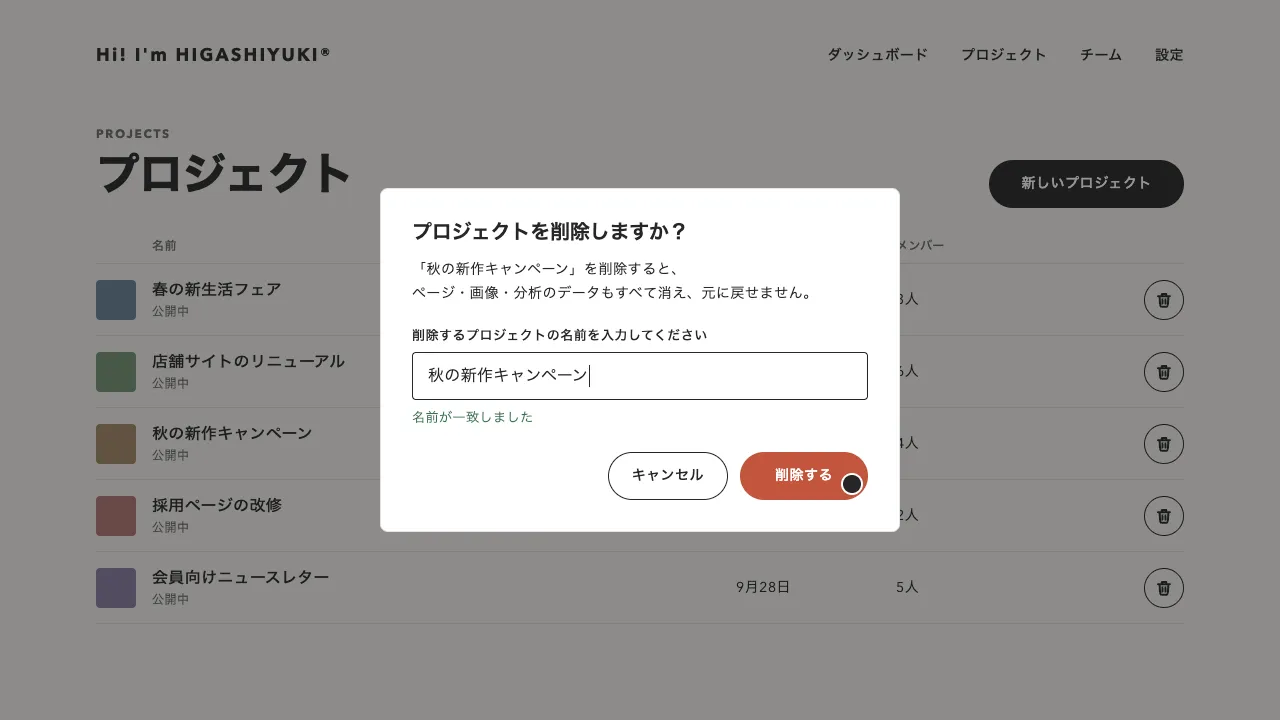
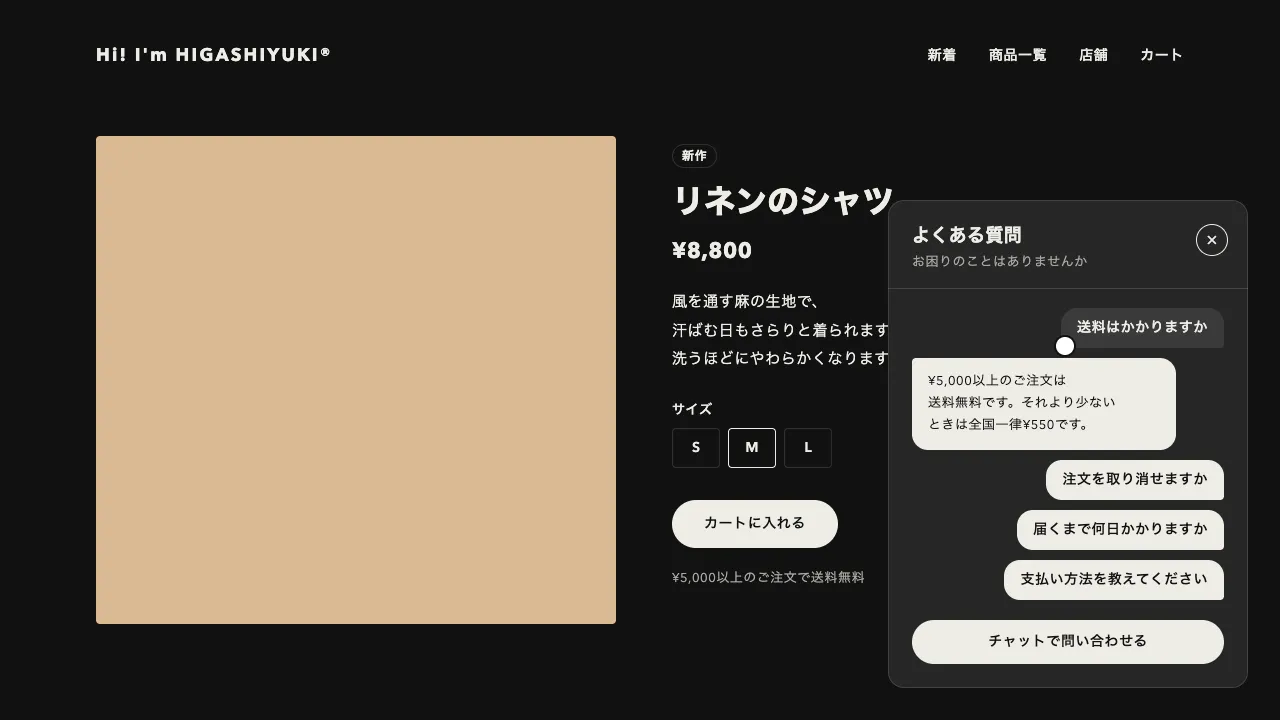
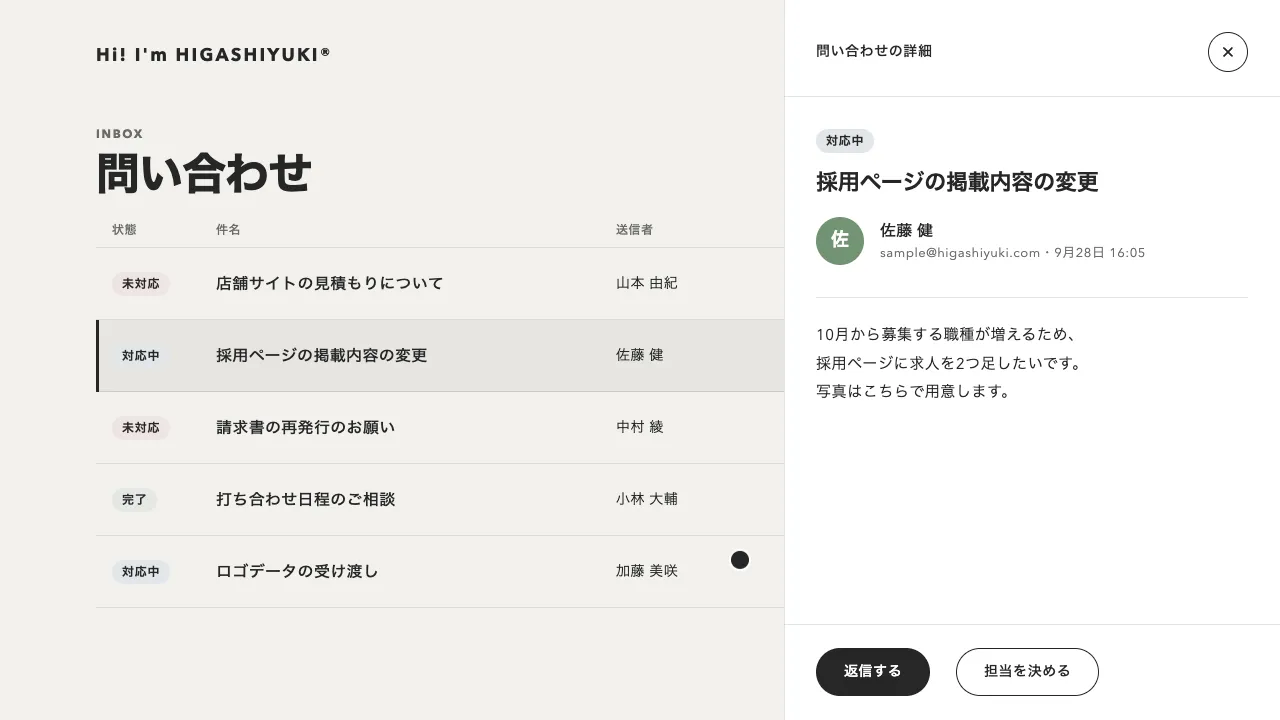
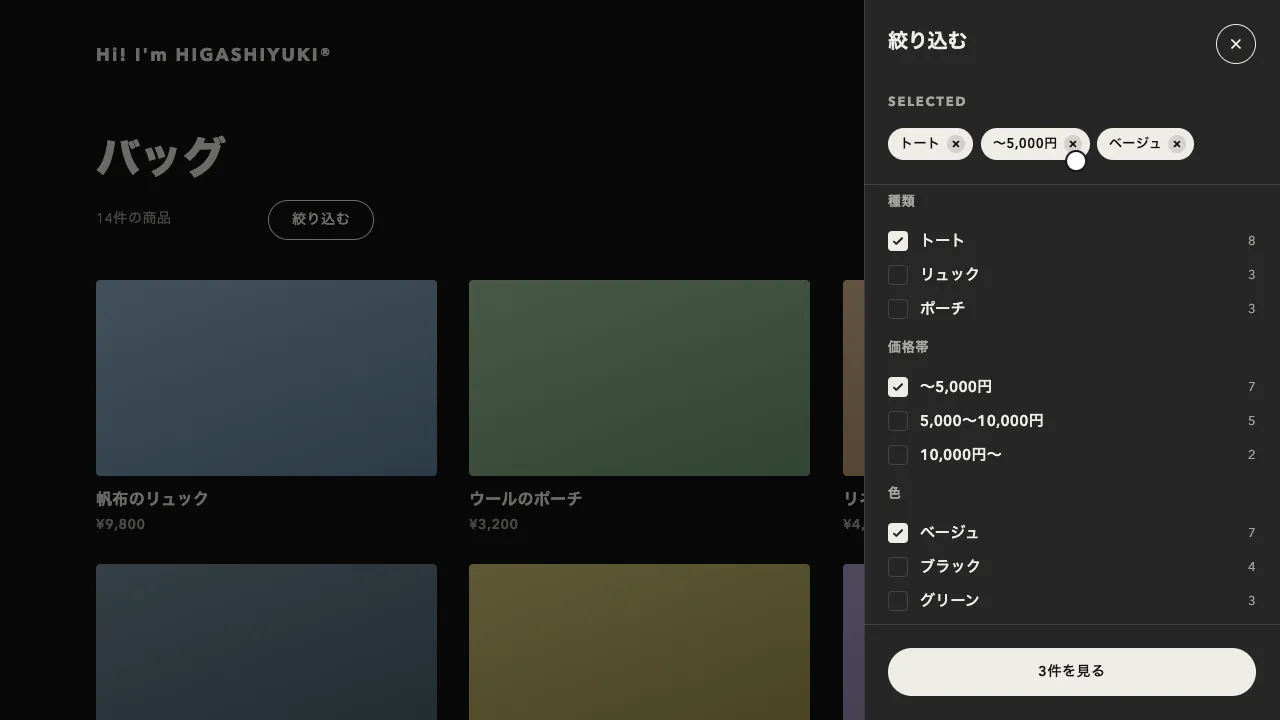
デモ
デモを読み込めませんでした。
仕様
- 用途
- オーバーレイ
- 動作
- DOM
- 種類
- レシピ
- 動作確認
- three 0.186.0・gsap 3.15.0
- 公開日
しくみと調整
記事の半ばに置いた印が画面に入ると、画面の右下の隅から白い面が弾むように広がり、中のアイコン・文言・入力欄・ボタンが少し遅れて下から順に浮かびます。× を押すと、中身が先に消えてから面が少しふくらみ、出てきた隅へ畳まれて消えます。「登録する」を押すと、中身が「ご登録ありがとうございます」の知らせに替わって面が縮み、2.4 秒ほど見せてから同じように隅へ畳まれます。読み始めた瞬間に画面を覆うモーダルや、画面の下に帯で出すバナーと違い、読み進めた人にだけ隅から小さく声をかける形です。
面が広がるのは 0.75 秒の back.out(1.7) で、一度 1 割ほど大きくなってから収まります。畳むのは 0.55 秒の back.in(1.2) で、少しふくらんでから縮むので、元の隅へ戻っていくのが目で追えます。中身は、面がほぼ広がりきる 0.28 秒後から 0.045 秒ずつずらして、12px 下から浮かべます。弾ませるのは面だけにして、文字は拡大しません。
面を scale で広げると、行き過ぎるあいだに角の丸みと 1px の縁まで太って見え、中の文字も一緒に伸び縮みします。面は疑似要素で描き、幅と高さを CSS 変数の割合で決めて、右下の角を止めたまま広げます。GSAP はその変数の数だけを補間するので、どの大きさでも角と縁が崩れません。知らせに替えるときは、替えたあとの高さを先に測っておき、今の高さからそこへ補間します。
ひとりでに出るときは、読んでいる人の焦点を奪いません。Tab で入ってきた人は Esc と × で閉じられ、閉じると前にいた場所へ焦点が戻ります。登録の知らせは role="status" の領域に書いて読み上げに届け、押したボタンが消えるので焦点は面へ移します。閉じた人にはその訪問のあいだ、登録した人には次からも出さないよう、記録を localStorage などに残します。
行き過ぎを抑えるなら、back.out の数を 1.2 ほどに下げます。出す時期は印を置く位置で決め、記事の 3 分の 1 から半ばあたりが目安です。狭い画面では左右 16px まで広げて使います。ブログやオウンドメディアの記事ページのほか、クーポンやキャンペーンの案内を隅から出すときにも向いています。
コード
<!-- 記事の半ばに置く印。ここが画面に入ったら、ポップアップを出す -->
<div data-newsletter-marker></div>

<!-- 登録のポップアップ。hidden のまま置き、スクリプトが出す -->
<aside class="newsletter" aria-labelledby="newsletter-title" tabindex="-1" hidden>
  <button class="newsletter__close" type="button" aria-label="閉じる">
    <svg viewBox="0 0 24 24" aria-hidden="true"><path d="M6 6l12 12M18 6 6 18" /></svg>
  </button>
  <form class="newsletter__form" action="/newsletter/" method="post">
    <span class="newsletter__art" aria-hidden="true">
      <svg viewBox="0 0 24 24"><rect x="3.5" y="5.5" width="17" height="13" rx="2" /><path d="m4 7 8 6 8-6" /></svg>
    </span>
    <p class="newsletter__label">NEWSLETTER</p>
    <h2 class="newsletter__title" id="newsletter-title">新着記事をメールで受け取る</h2>
    <p class="newsletter__desc">月に1回、新しい記事と制作のメモをメールでお届けします。</p>
    <label class="newsletter__sr" for="newsletter-email">メールアドレス</label>
    <input class="newsletter__input" id="newsletter-email" name="email" type="email" placeholder="メールアドレス"
      autocomplete="email" pattern="[^@\s]+@[^@\s]+\.[^@\s]+" title="例: sample@higashiyuki.com" required>
    <button class="newsletter__submit" type="submit">登録する</button>
  </form>
  <!-- 登録したあとの知らせ。読み上げには下の status が届けるので、見た目だけにする -->
  <div class="newsletter__thanks" aria-hidden="true">
    <svg class="newsletter__badge" viewBox="0 0 24 24">
      <path d="M5 12.5 10 17.5 19 7.5" pathLength="1" stroke-dasharray="1 1" />
    </svg>
    <p class="newsletter__title">ご登録ありがとうございます</p>
    <p class="newsletter__desc"><span data-newsletter-email></span>に確認のメールをお送りしました。</p>
  </div>
  <p class="newsletter__sr" role="status"></p>
</aside>

<!-- もう一度出す口。フッターなどに置く -->
<button class="newsletter-open" type="button" data-newsletter-open>ニュースレターに登録</button>.newsletter {
--ink: #262626; /* 文字と線 */
--mute: #6b6b6b; /* 説明の文字 */
--hint: #898989; /* 入力例の文字 */
--surface: #ffffff; /* 面 */
--line: rgba(38, 38, 38, 0.12); /* 縁と入力欄の罫線 */
--success: #4f8a64; /* 登録できた印 */
--art: linear-gradient(135deg, #a28767 0%, #b27771 52%, #877fa1 100%);
--grow: 1; /* 面の広がり(0〜1)。スクリプトが動かす */
position: fixed;
right: 32px;
bottom: 32px;
z-index: 100;
box-sizing: border-box;
width: min(368px, calc(100vw - 32px));
padding: 24px;
color: var(--ink);
outline: none; /* 知らせに替えたとき、焦点を面ごと受ける(枠は出さない) */
}
.newsletter[hidden],
.newsletter[data-state="thanks"] .newsletter__form,
.newsletter[data-state="thanks"] .newsletter__close,
.newsletter:not([data-state="thanks"]) .newsletter__thanks { display: none; }
/* 面は右下の角に止め、幅と高さで広げる。scale ではないので、角の丸みと縁の線が崩れない */
.newsletter::before {
content: "";
position: absolute;
right: 0;
bottom: 0;
z-index: -1;
width: calc(var(--grow) * 100%);
height: calc(var(--grow) * 100%);
border-radius: 4px;
background-color: var(--surface);
box-shadow: inset 0 0 0 1px var(--line); /* 影は付けず、1px の罫線で縁を取る */
}
.newsletter svg { fill: none; stroke-linecap: round; stroke-linejoin: round; }
.newsletter__form { display: grid; gap: 12px; }
.newsletter__form > * { margin: 0; }
.newsletter__art { display: grid; place-items: center; width: 56px; height: 56px; margin-bottom: 8px; border-radius: 4px; background: var(--art); }
.newsletter__art svg { width: 28px; height: 28px; stroke: #ffffff; stroke-width: 1.7; }
.newsletter__label { font-size: 12px; font-weight: 700; line-height: 1; letter-spacing: 0.14em; color: var(--mute); }
.newsletter__title { margin: 0; font-size: 22px; font-weight: 700; line-height: 1.3; letter-spacing: -0.01em; word-break: auto-phrase; }
/* auto-phrase は、和文を文節の切れ目で折り返す(対応していないブラウザでは、ふつうに折り返す) */
.newsletter__desc { margin: 0 0 8px; color: var(--mute); font-size: 14px; line-height: 1.7; letter-spacing: 0.04em; word-break: auto-phrase; }
/* アイコンだけのボタンは線の丸 */
.newsletter__close {
position: absolute;
inset: 16px 16px auto auto;
display: grid;
place-items: center;
width: 32px;
height: 32px;
padding: 0;
border: 0;
border-radius: 50%;
box-shadow: inset 0 0 0 1px var(--ink);
background: none;
color: var(--ink);
cursor: pointer;
}
.newsletter__close svg { width: 14px; height: 14px; stroke: currentColor; stroke-width: 3.4; }
.newsletter__input, .newsletter__submit { height: 48px; border: 0; font: inherit; }
.newsletter__input {
padding: 0 16px;
border-radius: 4px;
box-shadow: inset 0 0 0 1px var(--line);
color: var(--ink);
font-size: 16px; /* 16px 未満だと、iPhone が入力のときに画面を拡大する */
}
.newsletter__input::placeholder { color: var(--hint); }
.newsletter__input:focus { outline: none; box-shadow: inset 0 0 0 1px var(--ink); }
.newsletter__submit {
border-radius: 999px;
background-color: var(--ink);
color: var(--surface);
font-size: 14px;
font-weight: 600;
letter-spacing: 0.04em;
cursor: pointer;
}
.newsletter__thanks { display: grid; gap: 8px; }
.newsletter__thanks .newsletter__title { margin-top: 8px; font-size: 20px; letter-spacing: 0.04em; }
.newsletter__badge { width: 26px; height: 26px; padding: 11px; border-radius: 50%; background-color: var(--success); stroke: #ffffff; stroke-width: 2.6; }
.newsletter__sr { position: absolute; width: 1px; height: 1px; overflow: hidden; clip-path: inset(50%); white-space: nowrap; }
.newsletter__close:focus-visible, .newsletter__submit:focus-visible { outline: 2px solid var(--ink); outline-offset: 4px; }
@media (max-width: 480px) { .newsletter { right: 16px; bottom: 16px; } }import { gsap } from "gsap";
const KEY = "newsletter-popup"; // 閉じた・登録した記録の保存名
const reduceMotion = window.matchMedia("(prefers-reduced-motion: reduce)").matches;
const SPEED = reduceMotion ? 20 : 1; // 動きを減らす設定では、ほぼ一瞬で切り替える
const popup = document.querySelector(".newsletter");
const form = popup.querySelector(".newsletter__form");
const close = popup.querySelector(".newsletter__close");
const thanks = popup.querySelector(".newsletter__thanks");
const status = popup.querySelector("[role=status]");
const parts = [close, ...form.children];
let motion = null;
let later = null; // 知らせを見せたあとに閉じる予約
let returnTo = null; // ポップアップに焦点が入る前にいた所。閉じたらそこへ戻す
// ストレージを切っている環境でも止まらないように、読み書きの失敗は無視する
const load = (store) => { try { return store.getItem(KEY); } catch { return null; } };
const save = (store, value) => { try { store.setItem(KEY, value); } catch {} };
const run = (timeline) => {
motion?.kill();
later?.kill();
motion = timeline.timeScale(SPEED);
};
// from は押して開いたボタン。そのときは入力欄へ焦点を移し、閉じたらボタンへ戻す
function show(from) {
if (!popup.hidden) return;
popup.hidden = false;
popup.dataset.state = "form";
status.textContent = "";
// 右下の角から、一度行き過ぎてから収まる
run(gsap.timeline()
.fromTo(popup, { "--grow": 0 }, { "--grow": 1, duration: 0.75, ease: "back.out(1.7)" }, 0)
.fromTo(parts, { opacity: 0, y: 12 }, { opacity: 1, y: 0, duration: 0.55, ease: "power3.out", stagger: 0.045 }, 0.28));
if (from) {
returnTo = from;
form.elements.email.focus({ preventScroll: true });
}
}
function hide() {
if (popup.hidden) return;
const done = () => {
if (popup.contains(document.activeElement)) returnTo?.focus();
popup.hidden = true;
};
// 中身を先に消し、面は少しふくらんでから元の隅へ畳む
run(gsap.timeline({ onComplete: done })
.to([...parts, thanks], { opacity: 0, duration: 0.18, ease: "power1.in" }, 0)
.to(popup, { "--grow": 0, duration: 0.55, ease: "back.in(1.2)" }, 0.08));
}
function thank(email) {
// 知らせに替えたときの高さを先に測り、今の高さからそこへ縮める
const from = popup.offsetHeight;
popup.dataset.state = "thanks";
const to = popup.offsetHeight;
popup.dataset.state = "form";
const hadFocus = popup.contains(document.activeElement);
popup.querySelector("[data-newsletter-email]").textContent = email;
status.textContent = `ご登録ありがとうございます。${email}に確認のメールをお送りしました。`;
run(gsap.timeline({ onComplete: () => (later = gsap.delayedCall(2.4, hide)) }) // 見せる時間は速めない
.to(parts, { opacity: 0, duration: 0.2, ease: "power1.in" })
.set(popup, { attr: { "data-state": "thanks" }, height: from })
// 押したボタンが消えると焦点が外れるので、面へ移す(閉じたときに元の場所へ戻せる)
.add(() => hadFocus && popup.focus({ preventScroll: true }))
.to(popup, { height: to, duration: 0.45, ease: "power3.inOut", clearProps: "height" })
.fromTo(thanks, { opacity: 0, y: 12 }, { opacity: 1, y: 0, duration: 0.5, ease: "power3.out" }, "-=0.15")
.fromTo(thanks.querySelector("path"), { strokeDashoffset: 1 }, { strokeDashoffset: 0, duration: 0.35, ease: "power2.out" }, "-=0.3"));
}
popup.addEventListener("focusin", (event) => {
if (event.relatedTarget && !popup.contains(event.relatedTarget)) returnTo = event.relatedTarget;
});
popup.addEventListener("keydown", (event) => event.key === "Escape" && close.click());
close.addEventListener("click", () => {
save(sessionStorage, "closed"); // この訪問のあいだは、もう出さない
hide();
});
form.addEventListener("submit", (event) => {
event.preventDefault();
// ここで登録の API に送る(例: fetch(form.action, { method: "POST", body: new FormData(form) }))
save(localStorage, "subscribed"); // 登録した人には、もう出さない
thank(form.elements.email.value);
});
document.querySelectorAll("[data-newsletter-open]").forEach((button) => button.addEventListener("click", () => show(button)));
// 記事の半ばまで読んだころに、1 回だけ出す
const marker = document.querySelector("[data-newsletter-marker]");
if (marker && !load(localStorage) && !load(sessionStorage)) {
const observer = new IntersectionObserver(([entry]) => {
if (!entry.isIntersecting) return;
observer.disconnect();
show(); // ひとりでに出るときは、焦点を奪わない
});
observer.observe(marker);
}