デモ
デモを読み込めませんでした。
仕様
- 用途
- オーバーレイ
- 動作
- DOM
- 種類
- レシピ
- 動作確認
- three 0.186.0・gsap 3.15.0
- 公開日
しくみと調整
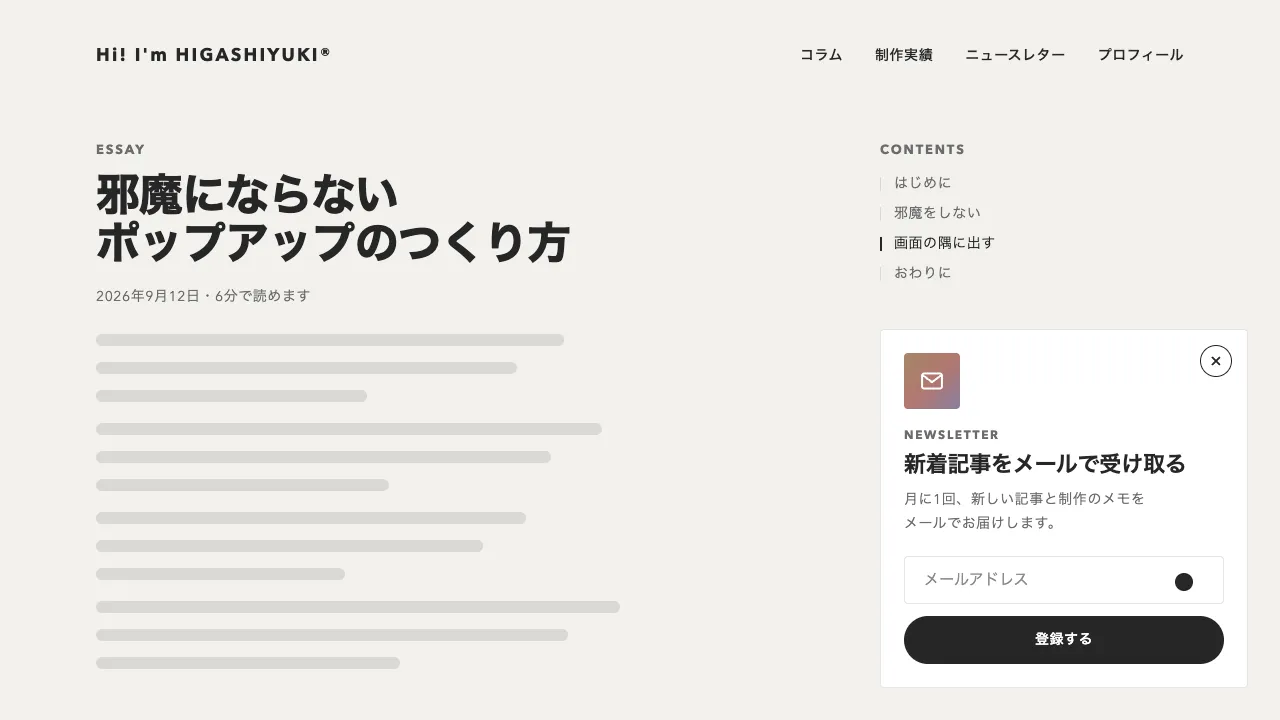
「いいね」のボタンに 0.3 秒重ねると、ボタンの上に白い帯が左の縁から開き、6 つの絵文字が左から順に弾んで並びます。帯の上でポインタを動かすと、近い絵文字ほど大きくなって少し浮き、いちばん近いものの上に名前の札が出ます。絵文字を押すと、その絵文字が弧を描き、縮みながらボタンのアイコンの位置へ飛んで収まり、ボタンの文字がリアクションの名前と色に替わります。もう一度ボタンを押すと取り消せます。
絵文字は 0.4 秒の back.out(2.2) で、0.04 秒ずつずらして出します。大きさはポインタとの距離から余弦の山で決め、半径 90px の中で、真上の絵文字を 40px から 56px まで広げて 8px 浮かせます。隣の絵文字とは中心が 52px 離れているので、隣は少しだけ大きくなり、2 つ先は動きません。飛ぶのは 0.5 秒で、途中で上へ 36px 浮かせてから戻すことで弧にしています。
閉じる動きを、開く動きの逆再生にしないようにします。back.out を逆にたどると、絵文字がいったん跳ね上がってから沈みます。閉じるときは行き過ぎない曲線で別に動かし、右から順に消してから帯を閉じます。拡大は scale ではなく幅と高さで、下の端と中心を止めたまま大きくします。絵文字の場所そのものは動かさないので、距離はいつも同じ中心から測れ、拡大が次の拡大を呼んで揺れることがありません。
絵文字は OS の絵文字の書体に頼らず、SVG の丸と線で描きます。書体の絵文字は端末ごとに見た目が違い、大きくすると粗く見えることもあります。1 つずつ aria-label を持つボタンにして、選んだものに aria-pressed を付けます。キーボードで「いいね」に焦点が当たると待たずに帯を開き、Tab で絵文字へ進めて、Esc で閉じます。指で触る端末では、まだ選んでいないときにボタンを押すと帯が開きます。
近さの値は @property で数として登録し、CSS の transition でなめらかにつないでいます。重ねてから開くまでの待ちは 0.2〜0.4 秒が目安で、短いと通り過ぎただけで開きます。半径を広げると、より多くの絵文字が一緒に動きます。SNS やコミュニティの投稿、ブログのコメント欄、社内ツールの反応ボタンに向いています。
コード
<!-- ボタンと帯を 1 つの要素で包む(ボタンから帯へポインタを動かすあいだに閉じないように) -->
<div class="reaction">
  <!-- 押すと「いいね」、もう一度押すと取り消す。重ねて待つか、キーボードで焦点を当てると帯が開く。
       帯はボタンの後ろに置き、Tab でボタンから絵文字へ進めるようにする -->
  <button class="reaction__button" type="button" aria-expanded="false">
    <span class="reaction__icon" aria-hidden="true">
      <svg class="reaction__thumb" viewBox="0 0 24 24">
        <path d="M7.5 10.5V20h-3v-9.5zM7.5 10.5 11.3 4c.9-1.4 3.2-.8 3.2.9v4.6h4.3c1.4 0 2.5 1.3 2.2 2.7l-1.4 6.2A2.2 2.2 0 0 1 17.4 20H7.5" />
      </svg>
    </span>
    <span class="reaction__label">いいね</span>
  </button>
  <div class="reaction__tray" role="group" aria-label="リアクションを選ぶ">
    <!-- 絵文字は OS の書体に頼らず SVG で描く(どの端末でも同じ絵になる)。data-color はボタンの文字の色 -->
    <button class="reaction__emoji" type="button" aria-label="いいね" aria-pressed="false" data-color="#2a62d4">
      <svg viewBox="0 0 48 48"><circle cx="24" cy="24" r="24" fill="#3d7bf2" /><rect x="12" y="22.5" width="5.5" height="13" rx="1.5" fill="#fff" />
        <path d="M20 23l5-8.5c1.2-2 4.5-1.3 4.5 1.1V21h6c2.1 0 3.5 2 3.1 4l-1.8 8.2c-.4 1.8-1.9 2.8-3.6 2.8H20z" fill="#fff" /></svg>
    </button>
    <button class="reaction__emoji" type="button" aria-label="大好き" aria-pressed="false" data-color="#c8324f">
      <svg viewBox="0 0 48 48"><circle cx="24" cy="24" r="24" fill="#f0506e" />
        <path d="M24 36s-11-6.6-11-14.2a6 6 0 0 1 11-3.4 6 6 0 0 1 11 3.4C35 29.4 24 36 24 36z" fill="#fff" /></svg>
    </button>
    <button class="reaction__emoji" type="button" aria-label="うけるね" aria-pressed="false" data-color="#8a5a00">
      <svg viewBox="0 0 48 48"><circle cx="24" cy="24" r="24" fill="#ffc83d" /><path class="line" d="M13 18.5l6 3.5-6 3.5M35 18.5l-6 3.5 6 3.5" stroke="#5a3a12" />
        <path d="M12.5 28h23a11.5 11.5 0 0 1-23 0z" fill="#5a3a12" /><ellipse cx="24" cy="36" rx="6" ry="3.2" fill="#f0506e" /></svg>
    </button>
    <button class="reaction__emoji" type="button" aria-label="すごいね" aria-pressed="false" data-color="#8a5a00">
      <svg viewBox="0 0 48 48"><circle cx="24" cy="24" r="24" fill="#ffc83d" /><path class="line" d="M13 14.5q4-3.5 8.5-1.5M35 14.5q-4-3.5-8.5-1.5" stroke="#5a3a12" />
        <g fill="#5a3a12"><ellipse cx="17" cy="21.5" rx="2.6" ry="3.6" /><ellipse cx="31" cy="21.5" rx="2.6" ry="3.6" /><ellipse cx="24" cy="34" rx="4.6" ry="6.2" /></g></svg>
    </button>
    <button class="reaction__emoji" type="button" aria-label="悲しいね" aria-pressed="false" data-color="#8a5a00">
      <svg viewBox="0 0 48 48"><circle cx="24" cy="24" r="24" fill="#ffc83d" /><path class="line" d="M12.5 18.5l7-3M35.5 18.5l-7-3M17.5 36q6.5-5.5 13 0" stroke="#5a3a12" />
        <g fill="#5a3a12"><ellipse cx="17" cy="23.5" rx="2.4" ry="3" /><ellipse cx="31" cy="23.5" rx="2.4" ry="3" /></g>
        <path d="M13.5 27.5s-3.2 4.3-3.2 6.4a3.2 3.2 0 0 0 6.4 0c0-2.1-3.2-6.4-3.2-6.4z" fill="#5db4f0" /></svg>
    </button>
    <button class="reaction__emoji" type="button" aria-label="ひどいね" aria-pressed="false" data-color="#b8431b">
      <svg viewBox="0 0 48 48"><circle cx="24" cy="24" r="24" fill="#f26b3a" /><path class="line" d="M12.5 16.5l8 4M35.5 16.5l-8 4M18 35.5q6-4.5 12 0" stroke="#4a1a08" />
        <g fill="#4a1a08"><ellipse cx="17" cy="24.5" rx="2.4" ry="2.8" /><ellipse cx="31" cy="24.5" rx="2.4" ry="2.8" /></g></svg>
    </button>
  </div>
  <p class="reaction__status" role="status"></p>
</div>.reaction {
--ink: #262626; /* 文字と線 */
--surface: #ffffff; /* 帯の地 */
--line: rgba(38, 38, 38, 0.12); /* 帯の縁の罫線 */
--hover: rgba(38, 38, 38, 0.05); /* ボタンに重ねたときの地 */
--base: 40px; /* 絵文字のふだんの大きさ */
--max: 56px; /* いちばん近い絵文字の大きさ */
--lift: 8px; /* いちばん近い絵文字が浮く量 */
position: relative;
display: inline-block;
color: var(--ink);
}
.reaction__button {
display: flex;
align-items: center;
gap: 8px;
height: 48px;
padding: 0 24px;
border: 0;
border-radius: 4px;
background: none;
color: inherit;
font: inherit;
font-size: 14px;
font-weight: 600;
letter-spacing: 0.04em;
cursor: pointer;
}
.reaction__button:hover { background-color: var(--hover); }
.reaction__icon { display: grid; width: 20px; height: 20px; }
.reaction__icon svg { width: 100%; height: 100%; }
.reaction__thumb { fill: none; stroke: currentColor; stroke-width: 2.4; stroke-linecap: round; stroke-linejoin: round; }
/* 帯はボタンの上に重ねる。地は ::before に描いて左の縁から開く(中の絵文字は、帯の外へ浮いても切れない) */
.reaction__tray {
--closed: 1; /* 帯の閉じた量(1 で閉じる)。スクリプトが動かす */
position: absolute;
bottom: calc(100% + 8px);
left: -8px;
z-index: 10;
display: flex;
gap: 12px;
padding: 12px;
visibility: hidden;
}
/* 影は付けず、1px の罫線で縁を取る */
.reaction__tray::before { content: ""; position: absolute; inset: 0; z-index: -1; border-radius: 999px; background-color: var(--surface); box-shadow: inset 0 0 0 1px var(--line); clip-path: inset(0 calc(var(--closed) * 100%) 0 0 round 999px); }
/* ボタンとのすきまを透明な面で埋める(ボタンから帯へ動かすあいだに閉じないように) */
.reaction__tray::after { content: ""; position: absolute; top: 100%; right: 0; left: 0; height: 8px; }
/* 近さ --k を数として登録すると、スクリプトが書き換えるたびに、CSS がなめらかにつなぐ */
@property --k { syntax: "<number>"; inherits: true; initial-value: 0; }
/* 絵文字の場所は動かさず、中の絵だけを下の端と中心を止めたまま大きくする(隣を押しのけない) */
.reaction__emoji {
--pop: 1; /* 出る量。スクリプトが動かす */
--size: calc((var(--base) + (var(--max) - var(--base)) * var(--k)) * var(--pop));
position: relative;
width: var(--base);
height: var(--base);
padding: 0;
border: 0;
border-radius: 50%;
background: none;
cursor: pointer;
transition: --k 0.15s ease-out;
}
.reaction__emoji svg { position: absolute; bottom: calc(var(--k) * var(--lift) - (1 - var(--pop)) * 10px); left: 50%; width: var(--size); height: var(--size); margin-left: calc(var(--size) / -2); }
.reaction__emoji .line { fill: none; stroke-width: 2.6; stroke-linecap: round; stroke-linejoin: round; }
/* 名前の札。いちばん近い絵文字の上にだけ、近さがはっきりしたら出す(ツールチップは明暗を反転する) */
.reaction__emoji::after {
content: attr(aria-label);
position: absolute;
bottom: calc(var(--size) + var(--k) * var(--lift) + 8px);
left: 50%;
translate: -50% 0;
padding: 6px 10px;
border-radius: 999px;
background-color: var(--ink);
color: var(--surface);
font-size: 12px;
font-weight: 600;
line-height: 1;
letter-spacing: 0.06em;
white-space: nowrap;
opacity: 0;
pointer-events: none;
}
.reaction__emoji[data-near]::after { opacity: clamp(0, (var(--k) - 0.5) * 4, 1); }
.reaction__flyer { position: fixed; z-index: 1000; pointer-events: none; }
.reaction__status { position: absolute; width: 1px; height: 1px; overflow: hidden; clip-path: inset(50%); white-space: nowrap; }
.reaction__button:focus-visible, .reaction__emoji:focus-visible { outline: 2px solid var(--ink); outline-offset: 4px; }import { gsap } from "gsap";
const reduceMotion = window.matchMedia("(prefers-reduced-motion: reduce)").matches;
const canHover = window.matchMedia("(hover: hover)").matches;
const SPEED = reduceMotion ? 20 : 1; // 動きを減らす設定では、ほぼ一瞬で切り替える
const WAIT = 0.3; // 重ねてから開くまで・離れてから閉じるまで(秒)。通り過ぎただけでは開かない
const RANGE = 90; // 拡大が届く半径(px)。隣の絵文字の少し先まで
document.querySelectorAll(".reaction").forEach((picker) => {
const [button, icon, label, tray, status] = [".reaction__button", ".reaction__icon", ".reaction__label", ".reaction__tray", "[role=status]"].map((s) => picker.querySelector(s));
const emojis = [...tray.querySelectorAll(".reaction__emoji")];
const thumb = icon.innerHTML; // 取り消したときに戻す、線の親指
let centers = []; // 絵文字の中心。絵文字の場所は動かないので、開くときに測る
let current = -1; // 選んでいるリアクション(-1 は選んでいない)
let isOpen = false; // 帯が開いているか
let motion, timer; // 帯の動きと、開く・閉じるまでの待ち
// ポインタへの近さ(0〜1)を --k で渡す。大きさ・浮く量・名前の札は CSS が決め、なめらかにつなぐ(x が null なら全部 0)
const magnify = (x) => {
const far = centers.map((c) => (x === null ? RANGE : Math.abs(x - c)));
emojis.forEach((emoji, i) => {
emoji.style.setProperty("--k", far[i] < RANGE ? (1 + Math.cos((Math.PI * far[i]) / RANGE)) / 2 : 0);
emoji.toggleAttribute("data-near", x !== null && far[i] === Math.min(...far)); // 札はいちばん近いものだけ
});
};
const later = (fn) => (timer?.kill(), (timer = gsap.delayedCall(WAIT, fn)));
function open() {
timer?.kill();
if (isOpen) return;
isOpen = true;
button.setAttribute("aria-expanded", "true");
centers = emojis.map((emoji) => emoji.offsetLeft + emoji.offsetWidth / 2);
gsap.set(tray, { visibility: "visible" }); // すぐに見せる(Tab で絵文字へ進めるように)
motion?.kill();
motion = gsap.timeline()
.fromTo(tray, { "--closed": 1 }, { "--closed": 0, duration: 0.25, ease: "power3.out" }, 0)
.fromTo(emojis, { "--pop": 0 }, { "--pop": 1, duration: 0.4, ease: "back.out(2.2)", stagger: 0.04 }, 0.05) // 左から順に弾む
.timeScale(SPEED);
}
function close(refocus) {
timer?.kill();
if (refocus) button.focus({ preventScroll: true }); // 帯が隠れて焦点が外れないように、ボタンへ戻す
if (!isOpen) return;
isOpen = false;
button.setAttribute("aria-expanded", "false");
magnify(null);
motion?.kill();
// 行き過ぎる曲線を逆にたどると跳ねて見えるので、閉じる動きは別に作る(右から順に消えてから、帯を閉じる)
motion = gsap.timeline()
.to(emojis, { "--pop": 0, duration: 0.18, ease: "power2.in", stagger: { each: 0.03, from: "end" } }, 0)
.to(tray, { "--closed": 1, duration: 0.2, ease: "power2.in" }, 0.1)
.set(tray, { visibility: "hidden" })
.timeScale(SPEED);
}
// ボタンの見た目を、選んだリアクション(-1 は元の「いいね」)にする
function show(index) {
const emoji = emojis[(current = index)];
emojis.forEach((item, i) => item.setAttribute("aria-pressed", String(i === index)));
icon.innerHTML = emoji ? emoji.querySelector("svg").outerHTML : thumb;
label.textContent = emoji ? emoji.getAttribute("aria-label") : "いいね";
label.style.color = emoji ? emoji.dataset.color : "";
status.textContent = emoji ? `「${label.textContent}」でリアクションしました` : "リアクションを取り消しました";
gsap.fromTo(icon, { scale: emoji ? 1.3 : 0.4 }, { scale: 1, duration: 0.35, ease: "back.out(2)" });
}
// 選んだ絵文字の複製を、今の位置と大きさからボタンのアイコンへ縮めながら飛ばす。y を上へ浮かせて戻し、弧にする
function fly(index) {
const svg = emojis[index].querySelector("svg");
const [from, to] = [svg, icon].map((el) => el.getBoundingClientRect()).map(({ left, top, width, height }) => ({ left, top, width, height }));
const flyer = document.body.appendChild(svg.cloneNode(true));
flyer.classList.add("reaction__flyer");
svg.style.visibility = "hidden";
gsap.timeline({ onComplete: () => [flyer.remove(), (svg.style.visibility = ""), show(index)] })
.fromTo(flyer, from, { ...to, duration: 0.5, ease: "power2.inOut" }, 0)
.to(flyer, { y: -36, duration: 0.25, ease: "sine.out", yoyo: true, repeat: 1 }, 0);
}
// 絵文字を選ぶと、ボタンへ飛ばして帯を閉じる
emojis.forEach((emoji, i) => emoji.addEventListener("click", () => ((reduceMotion ? show : fly)(i), close(true))));
// 押すと「いいね」、もう一度押すと取り消す。重ねられない指の端末では、選んでいないときに押すと帯を開く
button.addEventListener("click", () => {
if (!canHover && current < 0) return isOpen ? close() : open();
close();
show(current >= 0 ? -1 : 0);
});
// マウスは重ねて待つと開く。キーボードで焦点を当てたら待たずに開き(帯の中から戻った焦点では開かない)、外へ出るか Esc で閉じる
picker.addEventListener("pointerenter", (event) => event.pointerType === "mouse" && later(open));
picker.addEventListener("pointerleave", (event) => event.pointerType === "mouse" && later(close));
button.addEventListener("focus", (event) => !picker.contains(event.relatedTarget) && button.matches(":focus-visible") && open());
picker.addEventListener("focusout", (event) => !picker.contains(event.relatedTarget) && close());
picker.addEventListener("keydown", (event) => event.key === "Escape" && isOpen && close(true));
if (reduceMotion || !canHover) return; // 動きを減らす設定と指の端末では、近さの拡大をしない
tray.addEventListener("pointermove", (event) => magnify(event.clientX - tray.getBoundingClientRect().left));
tray.addEventListener("pointerleave", () => magnify(null));
});